As an HR expert whose time in the industry stretches back before all-in-one software solutions were even a thing, I have spent more time than I care to admit testing HR platforms. But, this is important work (or at least I tell myself that it is), because at some point, every growing company hits the same wall. Spreadsheets stop working, manual processes pile up, and suddenly HR becomes a bottleneck instead of a support function.
That is where the right HR management software steps in. A good system does not just store employee data. It becomes the place where hiring, onboarding, payroll, and performance all come together in a way that actually makes sense day to day. When it works well, you feel it immediately. Things move faster, fewer errors creep in, and your team spends less time chasing admin tasks.
I have also seen the opposite happen. Companies pick tools that look great on paper, then struggle with adoption because the interface feels clunky or workflows do not match how their teams operate. Switching later is painful, expensive, and disruptive. That is why getting this decision right the first time matters more than most people expect.
In this guide, I took a fresh look at some of the most talked about HR platforms right now. I focused on what they are actually like to use, where they fall short, and who they are really built for. You will see familiar names here, though the rankings reflect how they perform for modern, scaling companies rather than legacy expectations.
If you are running an enterprise business or managing a distributed team, this list should give you a clearer picture of what is worth your time. I will walk through each platform, highlight where it shines, and point out the trade-offs you should know before making a call.
My top overall pick is HiBob, based on its all-in-one functionality for enterprise companies. I’ll leave it up to you to judge my results and judge for yourself which HRMS provider stands out most.
Key takeaways:
- The best HR management software delivers core building blocks like payroll processing, benefits administration, and performance tracking.
- Top platforms give you fast setup times, high availability, and managed services so your team spends less time on paperwork.
- When picking a service, you should look closely at pricing models, global support, user experience, and multi-region capabilities.
- Leading providers in this space include HiBob, Rippling, Deel, Workday, UKG Pro, Personio, Paycor, BambooHR, Gusto, and Sage HR.
Table of contents
- What do HR management software providers actually do?
- Benefits of HR management software providers
- Choosing the right HRMS partner
- My top 10 HR management software providers in 2026
- My final word on the best HR management software in 2026
- FAQs about HRMS providers
What do HR management software providers actually do?
HR management software acts as the central hub for everything related to your people. I like to think of it as the system that quietly holds your company together behind the scenes. It keeps track of employee records, handles payroll, supports hiring, and helps managers stay on top of performance without juggling five different tools.
What has changed in recent years is how much these platforms can actually do. Older systems were built mainly for record-keeping. Newer platforms take a broader approach. They connect data across departments, automate repetitive tasks, and give leadership better visibility into how teams are performing over time.
The shift to cloud-based systems has made a big difference as well. Employees can access what they need from anywhere, whether that is submitting time off, checking payslips, or completing reviews. For companies with remote or global teams, that kind of access is no longer optional.
The tricky part is that not all providers are built with the same priorities. Some focus heavily on payroll. Others lean into analytics or workforce planning. A few try to do everything, though not all of them succeed. That is where a closer look at each platform really starts to matter.
Benefits of enterprise HR management software providers
Moving to a dedicated human resources platform gives you flexibility, speed, and scale that manual tracking simply cannot match. When I look at companies that move from manual processes to a proper HR system, the first thing that stands out is how much time they get back. In real life, here are the benefits of HR management software that I think matter most:
- Elastic scalability: Cloud infrastructure scales easily in response to your actual workload demand. Teams can expand their headcount rapidly during peak hiring seasons and manage complex organizational charts without breaking the system.
- High availability and resilience: Built-in redundancy reduces single points of failure and simplifies disaster recovery design across distributed teams. Your employees will always have access to their critical employment data when they need it most.
- Faster employee onboarding: New hires can be provisioned through automated workflows and self-service portals. This shortens onboarding cycles and helps enable automated, repeatable environments across different departments and global offices.
- Access to specialized tools: Modern platforms provide high-performance analytics, compensation benchmarking, and optimized storage systems that support data-intensive workloads. Organizations can run analytics and distributed applications without investing in dedicated hardware.
- Operational abstraction: Managed services for payroll, tax filing, benefits administration, and compliance tracking reduce the burden of administrative maintenance. Engineering and human resources teams can focus on business logic rather than patching, scaling, or maintaining underlying systems.
Choosing the right HRMS partner
The right human resources provider is not necessarily the biggest name on the market. It is the one that fits your workloads, your budget, and the way your team actually builds. Here are some criteria to consider:
- Pricing: Evaluate total cost rather than just looking at the base user fee. This includes implementation costs, premium support tiers, managed service premiums, and long-term commitments. Complex pricing models within large enterprise platforms can introduce forecasting risk, particularly for high-growth teams.
- Scalability: Assess how the platform supports horizontal scaling, automated workflows, and regional expansion. If hiring patterns fluctuate or global deployment is planned, the provider should support distributed architectures without requiring major redesign.
- Global support: For international workloads, confirm multi-country payroll availability, local compliance tracking, and regional capacity. High-throughput data processing and low-latency networking are equally important because managing global teams involves moving large datasets between different legal entities.
- User experience: Consider interface design, documentation clarity, mobile app availability, and ecosystem integrations. A simplified user workflow helps reduce onboarding friction and operational complexity for your everyday employees.
- Compliance: Verify alignment with security standards, such as SOC 2, ISO certifications, and regional data hosting requirements. Data residency controls, identity segmentation, and support for zero-trust principles are often mandatory for regulated industries.
How I sized up the best HRMS platforms
When I put this list together, I kept things practical. I focused on platforms that enterprise companies can actually roll out and start using without dragging things out for a year or needing a massive internal team just to get set up. I was looking for tools that deliver real value fairly quickly, not ones that look impressive in a demo but fall apart once you’re live.
Here’s what I paid close attention to as I went through each option:
- How well the core HR basics are handled, like employee records, organizational charts, and document storage
- The quality of analytics and reporting, and whether the data is actually useful day to day
- How smooth onboarding and offboarding processes feel in practice
- The strength of integrations and whether the API can support a growing tech stack
- Support for multi-country teams, including compliance and payroll considerations
- The overall experience for both HR teams and employees using the system
At the end of the day, I looked for solutions that offer a noticeable difference once in place. This combined functionality with value for money.
When to avoid choosing hyperscaler HR management solutions
Enterprise HRMS systems are built to support highly complex corporate environments. Their broad service portfolios and global infrastructure make them attractive to organizations running large-scale, multi-service architectures. That scale can introduce layers of operational and financial complexity that mid-sized companies simply do not need.
If your workloads are predictable and your architecture is relatively simple, the overhead associated with managing a massive enterprise environment may outweigh its benefits. You may wish to avoid a heavy enterprise system if:
- You need focused, not sprawling, infrastructure: Enterprise systems push hundreds of services, many of which you may never use, yet you will still deal with their complexity. If your stack runs on basic payroll, performance, and time tracking, a specialized provider delivers tighter integration without the bloat.
- Pricing transparency is a priority: Enterprise pricing can be described as opaque, with hidden fees, variable implementation charges, and tiered discounts that require long-term commitments. If your team does not have a dedicated finance practice to decode invoices and manage spend, you can be overpaying.
- Your team is lean: Massive platforms can seem like they were built with the assumption you have dedicated architects, security engineers, and platform teams to manage them. If you do not, your human resources professionals can end up wrestling with permission policies and service configurations instead of helping employees.
My top 10 HR management software providers for enterprises in 2026
Human resources providers differ across compute, storage, networking, compliance, and global capabilities. Here are my top 10 platforms for mid-sized businesses in 2026.
*** Pricing and feature information in this article are based on publicly available documentation as of April 2026 according to individual specifications.
| Provider | Best for (use cases) | Key features | Pricing |
|---|---|---|---|
| HiBob | Both scalable mid-market infrastructure and global teams | Simple, predictable workflows; Managed analytics;
Scalable storage; Automated global payroll |
Custom pricing based on headcount |
| Rippling | Compute-intensive IT and latency-sensitive workloads | Distributed device management; High-performance automation;
Scalable storage and networking |
From $8/user/month |
| Deel | Global-scale contractor and EOR control | Multi-region compliance; Advanced networking;
Broad managed services; Strong legal support |
From $49/user/month |
| Workday | Hybrid and massive enterprise workloads | Hybrid governance; Integrated identity tools;
Confidential computing; Wide reporting options |
Custom enterprise pricing |
| UKG Pro | Data-intensive and hourly-driven workloads | High-performance scheduling;
Global low-latency network; Managed analytics and compliance tools |
Custom enterprise pricing |
| Personio | Regulated and European enterprise workloads | Hybrid deployment; Strong security and compliance;
Centralized networking for DACH region |
Custom pricing based on modules |
| Paycor | Enterprise payroll and mid-market workloads | High-performance tax filing; Scalable enterprise infrastructure;
Benefits administration |
Custom pricing based on headcount |
| BambooHR | Small business and startup workloads | Regional compute and storage; Local compliance;
High-performance networking; Private connectivity |
Custom pricing based on headcount |
| Gusto | US-based payroll and dedicated infrastructure | Fast payroll processing; US compliance;
Flexible networking; Benefits management |
From $40/month + $6/user |
| Sage HR | Basic sovereign workloads and shift scheduling | Multi-tier scheduling; Managed time off;
Serverless platform; SLA-backed infrastructure |
From $5.50/user/month |
Global AI-ready cloud platforms
This category of providers operates large-scale, multi-region infrastructure capable of supporting both mid-market systems and global workloads. They offer advanced analytics, managed services, and global networking environments that enable distributed teams to operate smoothly across modern enterprise environments.
1. HiBob
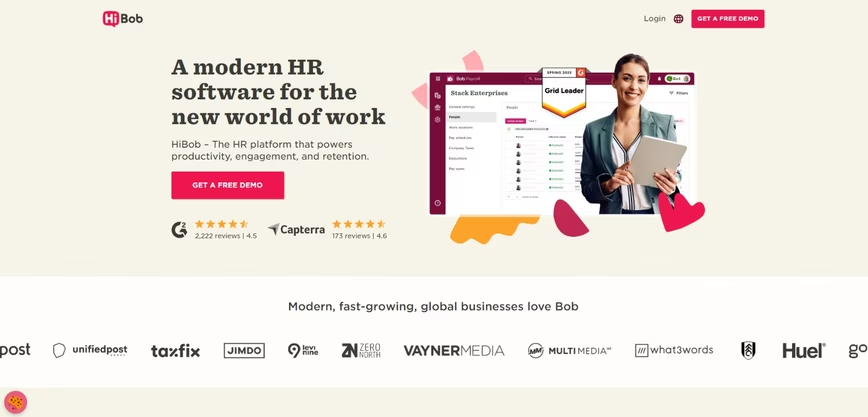
Scalable HR management software for mid-market infrastructure and global teams
HiBob is built for both enterprise organizations and teams who are hustling to grow modern businesses, especially the ones with teams scattered across the globe, like a well-organized (but slightly chaotic) international family. I cut through the usual enterprise nonsense and looked at the rock-solid, production-ready tools without forcing you to hire a small army of ops people just to keep the lights on. Think powerful infrastructure that actually feels friendly.
The platform has been featured among Accadian Ventures’ Future of Work top 100 list. These kinds of accolades make it clear that HiBob has become a true disruptor, something that became apparent to me early on during my review.
What really makes HiBob shine for me? Smart automations that handle the boring stuff, like lightning-fast onboarding, smoothing out your workflows, and cranking through batch payroll, whether you have dedicated office-based teams or hybrid modeling. Its deep localization features make sure everything feels native, no matter where your team is logging in from.
All your managed analytics live right in the same dashboard you use every day for admin tasks, so you can run fancy reports without juggling seventeen different tabs. Global networking is baked in from day one (because nobody has time to play security whack-a-mole), and their integrations plug straight into whatever crazy tech stack you’ve already built.
Bottom line: HiBob is my top choice because it offers serious global muscle with zero drama, reliable performance, and infrastructure that just works.
HiBob holds an impressive 4.5 out of 5 G2 rating.
Key features:
- Smart workflows are provisioned with preconfigured templates and optimized approval chains to help reduce environment configuration overhead.
- Advanced analytics control plane supports dedicated reporting pools without requiring separate data orchestration layers.
- The Bob platform provides managed document hosting, serverless integration endpoints, and integrated tooling for deploying and scaling human resources applications without managing underlying infrastructure.
2. Rippling
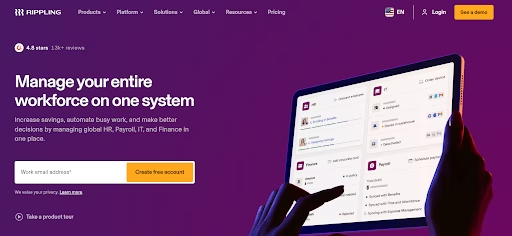
Rippling feels like it was built around one core idea, having a single source of truth (SSoT) for all employee data, then letting everything else run off that. Instead of separate systems talking to each other, everything from payroll to benefits, time tracking, and compliance pulls from the same dataset.
Another thing I have noticed is how strong Rippling is on reporting and customization. You can build very specific reports by combining data from HR, payroll, benefits, and even connected apps, which gives teams a level of visibility that a lot of platforms struggle to match.
It also integrates with hundreds of third-party tools, which makes it easier to plug into an existing tech stack instead of starting from scratch. If you need to scale from a mid-size business, Rippling may be overkill and can become expensive very quickly. It can also be complex for ordinary users and is better suited to tech-driven teams.
G2 rating: 4.8 out of 5
Rippling is a developer-oriented platform offering general-purpose human resources infrastructure alongside heavy IT management tools. It supports scalable web applications, databases, containerized workloads, and performance-sensitive systems across a globally distributed footprint. The platform provides device management, software provisioning, storage, and networking services, with automated instances available for fast employee onboarding.
Rippling is commonly selected by startups and digital-native teams that need flexible cloud infrastructure with accessible IT capacity, without the operational complexity associated with large enterprise providers.
The biggest weakness of Rippling is that the actual human resources functionality often feels secondary to the IT features. The platform places much less focus on the employee experience, unified company culture, and peer engagement than a dedicated system like HiBob. It can feel a bit cold and transactional, focusing more on managing devices than nurturing talent.
Rippling key features:
- Automated software and hardware provisioning instances are available in both virtualized and physical configurations.
- High-frequency compute instances optimized for fast onboarding and latency-sensitive applications.
- API-driven provisioning with simplified billing across IT and standard human resources workloads.
3. Deel
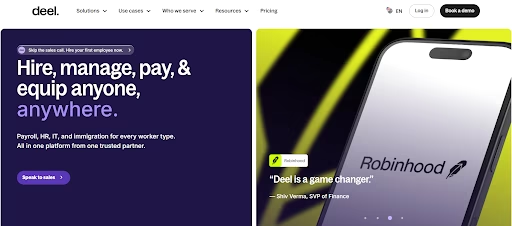
Deel has carved out a strong position in global hiring and contractor management. If your company works with international talent, it simplifies compliance and payments in a way that few platforms can match.
From what I have seen, Deel works best when global employment is a priority. It handles legal requirements across countries, which removes a lot of complexity for companies expanding into new markets.
G2 rating: around 4.8 out of 5
Deel operates a large-scale infrastructure designed to support enterprise systems and distributed international workloads across multiple regions. It can be used for hiring contractors and managing regulated employers of record workloads that span multiple geographic regions. Deel offers high-performance compliance tasks that require heavy legal knowledge and interconnected performance.
Deel integrates purpose-built legal structures with high-performance networking and distributed storage as part of its cloud platform. Its networking services enable tightly coupled distributed payments across multiple countries. Organizations often consider Deel when they need extensive global infrastructure and tightly integrated managed services for complex international business environments.
However, the breadth of its ecosystem and pricing model can introduce operational complexity that smaller teams may need to manage carefully.
Deel key features:
- Multi-country architecture through local legal entities to segment international workloads across teams and environments.
- Private networking options that enable global payments to operate without public internet exposure.
- High-performance compliance options, including automated tax forms, for scalable international and general-purpose workloads.
4. Workday
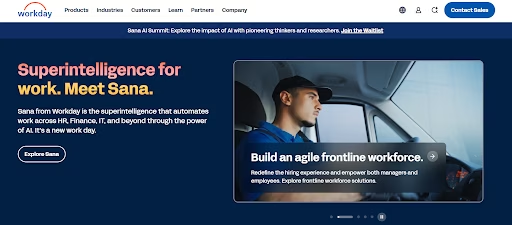
Workday sits firmly in the enterprise category. It offers deep functionality across HR, finance, and analytics, though it comes with a level of complexity that not every company needs.
In my experience, Workday makes sense for very large organizations with dedicated teams to manage it. For mid-sized companies, it can feel like using a system that was built for a completely different scale.
G2 rating: around 4.0 out of 5
Workday is deeply integrated with massive corporate identity and hybrid systems portfolios. It is commonly adopted by organizations operating massive global estates and complex identity models that extend into financial services. Workday provides heavy virtual machines equipped with deep reporting tools for training and compliance workloads.
Workday supports experiment tracking and massive organizational registry management. It also provides managed endpoints for enterprise deployment. Workday extends policy control across hybrid and on-premises environments, which helps enterprises to apply consistent governance while updating legacy workloads. Teams often adopt Workday when systems must align tightly with enterprise identity boundaries and existing corporate infrastructure.
Workday key features:
- Advanced analytics connects human resources workloads with enterprise data warehouses for large-scale corporate reporting.
- Built-in security provides threat protection tailored to cloud-based enterprise environments.
- Deep identity management integrates workloads with enterprise access control frameworks.
5. UKG Pro
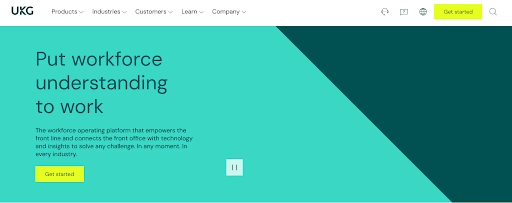
UKG Pro is known for handling complex workforce management, especially in industries with hourly employees. It excels in scheduling and compliance, which makes it a strong option for certain use cases.
That said, the platform can feel heavy. It requires time to set up and maintain, and the interface does not always feel as modern as newer tools.
G2 rating: 4.3 out of 5
UKG Pro is a global infrastructure provider known for its strengths in data analytics, complex scheduling, and compliance services. It can be adopted by organizations building massive retail systems and large-scale manufacturing platforms. The platform offers a broad portfolio of compute, storage, and networking services across multiple global regions.
UKG Pro uses general-purpose and accelerator-enabled virtual machines to support application workloads and complex scheduling use cases. Managed services integrate analytics and schedule development into production environments. Its private global network supports high-throughput traffic movement between regions, which benefits distributed applications and data-intensive systems. Organizations often evaluate UKG Pro when scheduling depth and complex architectures are central to their cloud strategy.
However, UKG Pro is generally a poor fit for mid-sized companies due to its overwhelming enterprise-level complexity and high cost. The user experience is frequently described by reviewers as clunky, outdated, and difficult to learn.
Companies short of full-fledged enterprise clout usually do not have the dedicated IT resources required to manage and update such a heavy system. For growing companies that value agility and a heuristics-forward user interface, the best HR management software will be something much more flexible, like HiBob. You do not want to pay for a massive enterprise system if you only need a fraction of its power.
UKG Pro key features:
- Cloud storage provides multi-class object storage with lifecycle policies for archival and active scheduling workloads.
- Cloud load balancing distributes traffic across regions using a global architecture for massive hourly workforces.
- Identity and access management supports fine-grained role-based access control across projects and services.
Regulated and hybrid modernization HRMS providers
These providers emphasize compliance, data sovereignty, and structured modernization of existing infrastructure estates. Their platforms focus on centralized governance, hybrid connectivity, and consistent policy enforcement across cloud and on-premises environments.
6. Personio
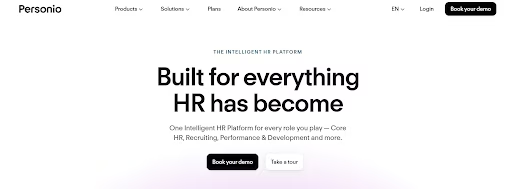
Personio has built a strong presence in Europe. It offers solid core HR features and works well for companies operating within that market. The limitation comes when companies expand beyond Europe. The platform does not always provide the same level of support for global teams, which can create gaps as businesses grow.
G2 rating: 4.4 out of 5
The company has grown rapidly, and they continue to add new features to support their core European audience. They have clearly found a strong product-market fit in their home territory. However, the main downside to Personio is its limited global coverage outside of its primary European markets.
If your company has offices solely in North America or Asia, you will likely find the localization features lacking. Personio also has limited depth when it comes to advanced features like strategic workforce planning to avoid mass layoffs in the age of AI. It is a solid regional player, though it may not be the best HR management software for a truly global, distributed workforce.
Personio’s key features:
- Built-in encryption services protect data both at rest and in transit, helping to ensure secure handling of critical business information across applications and storage systems.
- Hybrid connectivity options maintain centralized policy enforcement across cloud and on-premises systems, helping teams to manage distributed environments without losing control or visibility.
- Dedicated compliance nodes provide single-tenant performance and infrastructure isolation, helping teams run regulated workloads securely and consistently without interference from other tenants.
7. Paycor
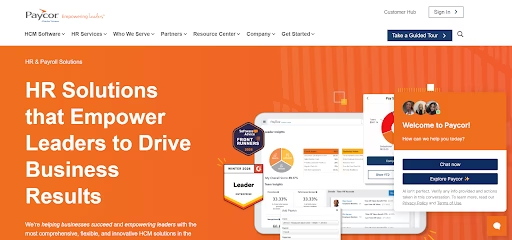
Paycor focuses heavily on payroll and compliance. It offers reliable processing and reporting, which makes it a good fit for companies that prioritize those areas.
I have found that Paycor works best when payroll is the main concern. It does not always offer the same depth in areas like engagement or performance management.
G2 rating: around 4.2 out of 5
Paycor is a high-performance cloud platform engineered for database-intensive payroll workloads and distributed tax training systems. It provides clusters connected through networking that supports low-latency communication between nodes. Bare metal configurations are available for organizations that require deterministic performance without virtualization overhead.
Paycor is commonly selected by enterprises running mission-critical payroll databases that are extending into analytics or model training workflows. The platform emphasizes predictable throughput and sustained high utilization performance for complex tax filings.
Paycor key features:
- Flat network architecture improves east-west traffic within clusters, making large-scale payroll processing and high-throughput data transfers smoother and more predictable.
- Optimized storage delivers reliable and consistent throughput, helping to make sure large datasets for tax and analytics workloads are ingested and processed without bottlenecks.
- Cluster scaling supports sustained, high-utilization workloads, helping enterprises to run continuous payroll and inference pipelines without hitting performance limits during peak operations.
Region-focused HR management software that run on cloud platforms
These cloud providers maintain a strong regional presence and align closely with local regulatory requirements. They are frequently adopted when data residency, sovereignty, or geographic proximity are primary decision factors within regulated cloud hosting environments. Infrastructure is delivered within the context of regional compliance and localized network performance.
8. BambooHR
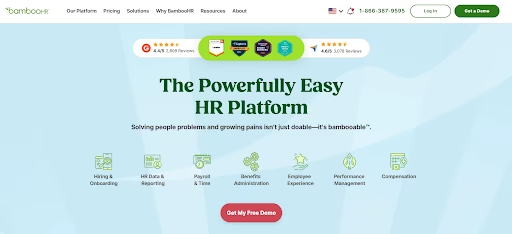
BambooHR is often one of the first platforms companies try when moving away from spreadsheets. It is simple, easy to learn, and covers the basics well. The challenge comes as companies grow. It does not always scale well for more complex operations, especially when global requirements come into play.
G2 rating: 4.6 out of 5
BambooHR is a global cloud infrastructure platform with strong regional dominance across the small business markets. It is frequently adopted by enterprises expanding into new local markets that require local compliance alignment and regional network proximity. BambooHR provides accelerated compute service instances that support training and inference workloads.
The platform integrates with its proprietary distributed operating system, which supports compute, storage, and networking control. High-performance storage systems, including scalable object storage and parallel file systems, support low-latency data access and sustained throughput for large-scale administrative pipelines.
While BambooHR does many things well, it falls well short when compared to the best HR management software for enterprises. It lacks the scalability, deep customization, and global capabilities that multinational organizations require as they grow. The reporting features are somewhat basic, and the platform struggles to handle complex, multi-site operations effectively.
BambooHR key features:
- Compute instances help enable teams to run administrative training and inference workloads with predictable performance on fast accelerators.
- Dedicated express connect provides private, high-speed links to local servers, reducing latency and improving security for cross-region applications.
- Object storage service supports durable, high-performance storage for large employee datasets and model checkpoints.
9. Gusto
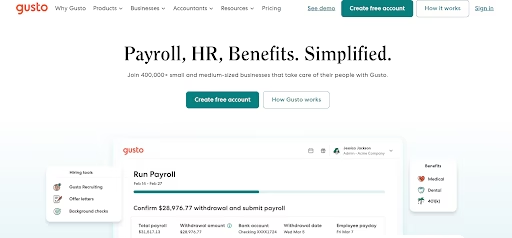
Gusto is a US-based cloud infrastructure provider and may be a good choice when focused on data sovereignty and infrastructure transparency. It operates its own data centers and designs its own server hardware, which gives it tight control over cost structures and operational design.
G2 rating: 4.6 out of 5
Gusto provides bare metal servers and hosted private cloud environments that support payroll workloads for entities operating under US regulatory and compliance standards. However, Gusto’s system doesn’t fare well for more complex compliance requirements, especially in heavily regulated industries. Enterprises may adopt Gusto when data residency and sovereignty are strategic infrastructure priorities for their local tax filings.
The problem arises when a company starts to scale into the mid-market segment and needs more advanced tools. Gusto is heavily focused on the United States, making it a poor choice for companies with a global workforce. It also lacks the deep performance management, advanced analytics, and strategic workforce planning features found in the best HR management software.
Gusto is great for payroll, yet it falls short as a complete human resources solution for mid-sized teams.
Gusto key features:
- Dedicated bare metal servers give direct access to hardware, enabling low-latency payroll training and inference.
- Flexible network architecture reduces reliance on third-party transit, improving reliability and predictability for high-volume tax data transfers.
- Hosted private cloud options enable teams to isolate workloads for security, performance, or testing purposes without managing physical infrastructure.
10. Sage HR
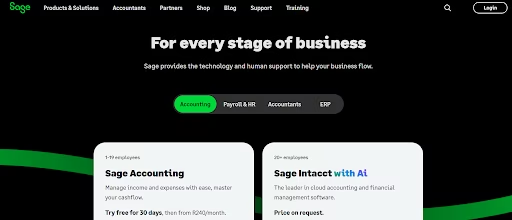
Sage HR is a global cloud infrastructure provider offering virtual machines across multiple workload tiers and bare metal servers for dedicated performance. It includes compatible object storage, managed databases, managed clusters for single-cloud or hybrid deployments, and a serverless stack supporting functions, containers, and jobs.
G2 rating: 4.6 out of 5
For administrative workloads, Sage HR offers instances powered by fast accelerators and managed inference services. The company operates renewable energy-powered data centers and positions itself as a basic cloud alternative for small businesses.
The downside to Sage HR is its highly limited scope and lack of advanced integrations. The reporting features are very basic, making it difficult for leaders to pull deep analytical data about their workforce. It is absolutely not ideal for scaling businesses with global or multi-site operations, as it lacks the necessary localization and multi-country payroll features.
Mid-sized companies will quickly hit a wall with Sage HR and will need to upgrade to a more capable platform. It is better to start with a system that can grow with you rather than having to switch later.
Sage HR key features:
- Instances support both ARM and x86 architectures powered by fast processors, with SSD storage and rapid provisioning.
- Compute instances carry a high SLA, with private networking and integrated DDoS protection.
- The serverless platform supports automatic scaling, per-minute billing, scheduling, and container-based workloads.
Takeaways on the best HR management software in 2026
After looking at all these platforms, one thing becomes clear. The best HR management software depends heavily on where your company is today and where it is heading next. A tool that works perfectly for a small team might struggle under the weight of a growing organization.
From everything I have seen, HiBob strikes the best balance. It handles the complexity that comes with scaling and works just as well in established enterprises, while still feeling approachable for everyday users. That combination is rare, and it makes a real difference once your team starts relying on the system daily.
Other platforms on this list have their place. Some excel in payroll, others in automation or enterprise-level reporting. Choosing between them comes down to understanding your priorities and how much flexibility you need as your company grows.
Overall, I’d recommend HiBob because it combines the best of all modern enterprise HR needs into one solution. The fact that it can also scale for mid-sized businesses looking to grow means you won’t need another solution later on.
FAQs about HRMS providers
Can developer-focused cloud providers support global workloads at production scale?
Yes. Platforms like HiBob provide production-ready infrastructure designed for global fine-tuning and inference. For startups and growing teams, this helps enable international deployment at scale with predictable pricing and reduced operational overhead.
Which cloud providers offer the best global and analytics infrastructure?
The best cloud providers will depend on your specific needs. HiBob provides infrastructure designed for global teams, model fine-tuning, inference, and production applications. Hyperscale providers offer managed services, but often with more complexity.
How do cloud service providers differ in pricing and scalability?
Cloud service providers vary in how they structure pricing models and how resources scale as workloads grow. Some platforms offer highly granular pricing tied to many individual services and usage metrics, while others use simpler instance-based or tiered pricing structures that make cost estimation easier. When evaluating providers, teams typically compare billing transparency, autoscaling capabilities, and the availability of predictable pricing options.
Which cloud service is most beginner-friendly?
Beginner-friendly cloud platforms typically focus on clear documentation, intuitive interfaces, and straightforward provisioning workflows. Many providers invest in learning resources, tutorials, and simplified management tools to help new users deploy infrastructure and applications more easily. For example, platforms such as HiBob provide extensive documentation, guided tutorials, and a user-friendly control panel to help developers set up and manage cloud resources while still supporting scalable production workloads.
Get the TNW newsletter
Get the most important tech news in your inbox each week.
Sponsored content. Not produced by the TNW newsroom and does not reflect the editorial stance of TNW. This listing is not an independent editorial ranking.


