
Enterprise HRIS buying guides tend to recommend the same five names. That shortlist hasn’t changed in a decade, and most of those platforms were built for a workforce model that no longer exists. Remote-first teams, distributed payroll across multiple countries, AI-driven workforce planning, and employee experience expectations from a generation raised on consumer apps have all reshaped what large organizations need from an HRIS. The old guard still works for rigid, centralized headcount management. It doesn’t work as well for companies that need configurability and a system people will open without filing a support ticket first.
This comparison evaluates nine HRIS systems for enterprise through a procurement lens: total cost of ownership, deployment timelines, global readiness, integration depth, and how well each platform handles the realities of a 2026 workforce.
What enterprise buyers get wrong about HRIS selection
Most enterprise HRIS evaluations overweight feature checklists and underweight usability. A platform with 400 configurable fields means nothing if managers refuse to log in. Procurement teams also tend to conflate “enterprise-grade” with “built for Fortune 500 companies,” which locks mid-market and upper-mid-market organizations into systems designed for 50,000-employee bureaucracies when their actual headcount sits between 500 and 5,000.
Three evaluation blind spots show up in almost every enterprise HRIS RFP:
Implementation drag. The biggest cost in an enterprise HRIS isn’t the license fee. It’s the 9-to-18-month deployment window that ties up internal resources, delays ROI, and creates change fatigue before employees ever touch the system. Platforms that go live in weeks instead of quarters reduce that drag.
Adoption as a success metric. If 60% of your workforce avoids the HRIS and routes requests through email or Slack, the platform has failed regardless of its capabilities. Enterprise buyers should weight user experience as a procurement criterion, not a “nice to have.”
Global readiness vs. global marketing. Many HRIS vendors claim global coverage. Fewer can run native payroll in multiple countries, handle jurisdiction-specific compliance, or support localized workflows without third-party bolt-ons. The gap between “we have customers in 40 countries” and “we run your UK payroll in-house” is enormous.
HiBob
HiBob homepage
The enterprise-grade HRIS with open APIs, configurable workflows, and multi-country payroll infrastructure
What it does well
Bob exposes open APIs for bidirectional data sync with existing tech stacks, supports SSO and SCIM provisioning for identity management, and connects to an integration marketplace that covers the tools enterprise IT teams already run. The platform runs on a shared data layer rather than bolted-together acquisitions: Bob Core handles self-service workflows, people analytics, and automation rules. The Talent Suite covers hiring, performance reviews with 360-degree feedback, and 9-box calibration. The Payroll Suite runs native US payroll (federal and state tax filing) and native UK payroll (HMRC, IR35, P11D, P60), plus a Global Payroll Hub that connects to local providers through no-code configuration. The HR Planning Suite delivers workforce planning with interactive org charts, AI scenario modeling, and compensation benchmarking powered by Mercer data.
Approval chains, onboarding sequences, and compliance checklists can all be configured by region, department, or entity without writing code or hiring consultants. G2 reviewers give Bob a 4.5/5 across 1,811+ reviews, with Capterra users at 4.6/5 from 167+ reviews. Josh Bersin calls it “the Instagram of HCM platforms,” a reference to the consumer-grade UX that drives adoption without change management overhead.
Where it falls short
No published pricing slows early-stage vendor comparison during structured RFP processes. Organizations above 20,000 employees in a single legal entity may find deeper matrix-hierarchy configurability in Workday or SAP SuccessFactors. Native payroll covers the US and UK; other markets route through the Global Payroll Hub’s third-party integrations.
Pricing
Not public. Modular pricing based on suite selection (Core, Talent, Payroll, Planning) and employee count. Custom quotes through hibob.com.
Workday
Workday
The enterprise incumbent for Fortune 500 organizations with dedicated implementation teams
What it does well
Workday covers financial management, human capital management, and planning in a unified cloud architecture. Large enterprises with 10,000+ employees rely on Workday for its depth of configuration, regulatory compliance across dozens of countries, and tight integration between HR and finance data. The platform’s reporting engine handles complex org structures with matrix management, cost center hierarchies, and multi-entity consolidation.
Workday also maintains strong relationships with Big Four consulting firms, which matters for organizations that route technology decisions through external advisors. Its position in Gartner’s Magic Quadrant for Cloud HCM Suites gives procurement teams a shorthand justification for the investment.
Where it falls short
G2 reviewers (4.1/5 across 1,613 reviews) cite a steep learning curve as a recurring frustration. Report generation runs slow for complex queries, and users describe the interface as functional rather than intuitive. Implementation timelines stretch long; most Workday deployments take 12 to 18 months, with significant consulting spend on top of the license fee. Smaller enterprises in the 500-to-3,000 range often find Workday’s complexity disproportionate to their needs.
Pricing
Custom enterprise pricing. Expect significant implementation consulting costs on top of license fees.
SAP SuccessFactors
The enterprise HCM suite for organizations already running SAP’s ERP ecosystem
What it does well
SAP SuccessFactors provides a comprehensive HCM suite that spans core HR, talent management, payroll, and workforce analytics. For organizations that run SAP S/4HANA or other SAP systems, SuccessFactors integrates with existing data flows and approval chains without middleware. The platform’s payroll engine covers 48+ countries with localized tax and compliance rules, making it a strong option for multinational enterprises with complex payroll requirements.
SuccessFactors also includes an employee experience layer (SAP Work Zone) that aggregates tasks, approvals, and learning content into a single portal. This consolidation helps reduce context-switching for employees who interact with multiple SAP products.
Where it falls short
The interface feels dated compared to platforms built in the last decade. G2 reviewers (4.1/5 across ~1,466 reviews) describe implementation as complex and slow, with heavy reliance on SAP consulting partners. Organizations that don’t run other SAP products face a lock-in risk: once SuccessFactors connects to SAP’s broader ecosystem, switching costs escalate. Product iteration cycles move slower than mid-market competitors, and new features sometimes take a year or more to reach general availability.
Pricing
Custom enterprise pricing. SAP ecosystem customers may receive bundled discounts.
UKG Pro
The US-focused workforce management suite born from the Kronos and Ultimate Software merger
What it does well
UKG Pro combines HR, payroll, talent management, and workforce management in a single platform. The merger of Kronos (time tracking and scheduling) and Ultimate Software (HR and payroll) created a system with particular strength in shift-based workforce management. Industries like healthcare and manufacturing use UKG for its scheduling depth and payroll processing at scale. The payroll engine handles complex pay rules across US states with strong compliance automation.
Where it falls short
G2 reviewers (4.3/5 across 2,187 reviews) flag navigation issues and describe the interface as less than intuitive. Customer support receives mixed feedback, with some users reporting slow response times and unhelpful ticket resolutions. Post-update bugs surface in user reviews, suggesting quality assurance gaps in release cycles. UKG’s global capabilities remain limited compared to platforms purpose-built for multinational operations; organizations with significant non-US headcount often need supplementary tools for local compliance and payroll.
Pricing
Custom pricing based on module selection and employee count. Not published.
ADP
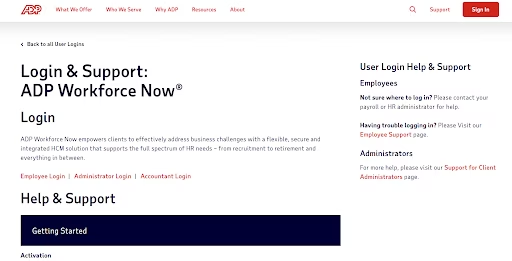
ADP Workforce Now Homepage
The legacy payroll and HR provider serving mid-market and enterprise organizations across the US
What it does well
ADP processes payroll for a massive share of the US workforce, and that scale gives the company deep tax compliance expertise across federal, state, and local jurisdictions. ADP Workforce Now (mid-market) and ADP Vantage HCM (enterprise) cover payroll, HR, benefits, talent, and time tracking. The platform’s compliance infrastructure includes automatic tax filing updates, ACA reporting, and wage garnishment processing. For organizations that prioritize payroll accuracy and regulatory coverage above all else, ADP’s track record is difficult to match.
Where it falls short
Poor customer support is the single most frequent complaint in ADP’s G2 reviews (4.2/5 across 4,209 reviews). Users describe long hold times, inconsistent answers from different representatives, and difficulty resolving issues without escalation. Navigation within the platform can feel confusing, with multiple sub-portals and inconsistent UI patterns across modules. ADP’s recruitment module lags behind purpose-built ATS platforms, and customization options remain limited for organizations that need workflows to match their specific processes.
Pricing
Custom pricing. Multiple product tiers (Run, Workforce Now, Vantage HCM) for different company sizes.
Rippling
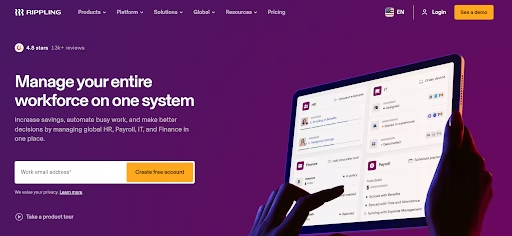
The HR-IT-Finance convergence platform for tech-forward organizations
What it does well
Rippling unifies HR, IT, and finance management into one platform, which creates workflows that other HRIS vendors can’t replicate. Onboarding a new hire can trigger laptop provisioning, app access setup, payroll enrollment, and benefits selection in a single automated flow. The platform’s integration layer connects to 500+ third-party apps, and its workflow automation engine lets admins build custom triggers without code. G2 reviewers rate Rippling 4.8/5 across 12,635 reviews, the highest score on this list.
Rippling’s global capabilities include EOR services and international contractor payments, making it viable for companies hiring across borders.
Where it falls short
The platform’s breadth creates a steep onboarding curve; getting the full value from Rippling’s cross-domain automation takes time and dedicated admin resources. Mobile app functionality lags behind the desktop experience, and users describe the pricing model as complex, with costs scaling as organizations add modules. Some reviewers note that the HR-specific features feel secondary to Rippling’s IT and device management capabilities, which may concern HR leaders who want a system designed around people operations first.
Pricing
Starts at $8/employee/month for core HR. Additional modules increase the per-employee cost.
Paycor
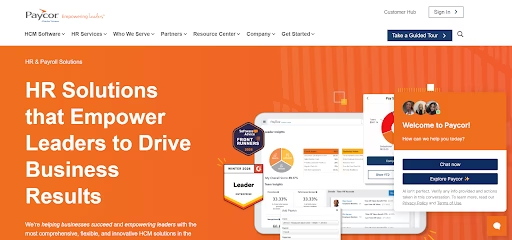
The payroll-first HCM platform serving healthcare, manufacturing, and mid-market employers
What it does well
Paycor started as a payroll company and expanded into HCM, which means its payroll processing engine remains its strongest asset. The platform covers HR, payroll, talent management, and workforce management, with particular strength in industry verticals like healthcare and manufacturing. Paycor’s analytics dashboards surface workforce trends, and its onboarding workflows handle document collection and task assignment for new hires.
Where it falls short
G2 reviewers (3.9/5 across 1,333 reviews) cite poor customer support as the most significant problem, and Paycor’s support rating sits well below the average for this category. Users report interface inconsistencies between modules, where navigation patterns and design elements don’t match across different sections of the platform. Payroll error reports appear in reviews, describing miscalculations that require manual correction.
Pricing
Tiered pricing across Basic, Essential, Core, and Complete plans. Per-employee pricing varies by tier and module selection.
Paylocity
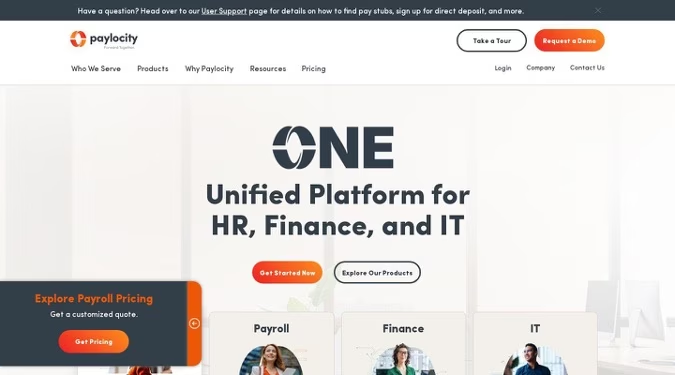
The US mid-market HRIS with social collaboration and community features
What it does well
Paylocity differentiates itself through social features that most HRIS platforms ignore. The Community tool functions as an internal social network, and the platform includes peer recognition and content sharing alongside standard HR and payroll capabilities. For US mid-market companies (100 to 5,000 employees), Paylocity provides a solid combination of payroll processing, benefits administration, talent management, and workforce management. G2 reviewers rate it 4.4/5 across 5,311 reviews.
Where it falls short
Paylocity operates in the US market and doesn’t offer international payroll or global HR features. Organizations that expand beyond US borders will need a different platform or additional tools for non-US employees. Customer support quality drops during peak periods like year-end and open enrollment, according to multiple reviewers. The platform’s learning curve runs steep, with users reporting that initial configuration and admin training require significant time investment.
Pricing
Custom pricing. Not published. Quote-based depending on module selection and employee count.
Personio
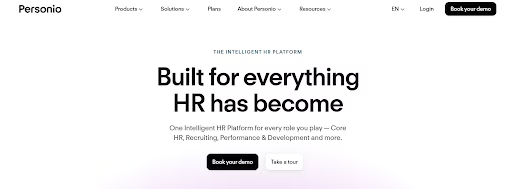
The European HR platform expanding into the mid-market globally
What it does well
Personio dominates the European mid-market, with strong traction in Germany, the UK, and the Netherlands. The platform covers core HR, recruiting, payroll preparation, and performance management, with an interface that European HR teams find intuitive. Personio’s compliance features address GDPR requirements and European labor law complexities, and its recruiting module includes multi-channel job posting and applicant tracking. G2 reviewers rate it 4.4/5 across 838 reviews.
Where it falls short
Personio’s capabilities thin out for organizations operating outside Europe. The platform doesn’t offer native US payroll, and its performance management module lacks the depth found in platforms that treat talent management as a core product rather than an add-on. Pricing has increased, and users report that recent price hikes haven’t matched corresponding feature improvements. Companies with significant operations in the Americas or Asia-Pacific will find Personio’s coverage insufficient without supplementary tools.
Pricing
Custom pricing based on employee count and module selection. Free trial available for smaller organizations.
Enterprise HRIS evaluation framework
Procurement teams evaluating enterprise HRIS platforms should score candidates across five dimensions that predict long-term success:
Time to value. Measure deployment timeline in weeks, not months. Ask vendors for median go-live timelines with references from organizations similar to yours in size and complexity. A 16-week deployment window for a 1,500-person company should raise questions.
Adoption risk. Request user satisfaction data, not marketing testimonials. G2 and Capterra scores provide a baseline. Ask for average DAU (daily active users) as a percentage of licensed users. Low adoption turns any HRIS into expensive shelfware.
Global payroll coverage. Distinguish between native payroll, integrated payroll, and “we partner with someone.” Native payroll (like HiBob’s US and UK engines) means the vendor files taxes and processes payments. Integrated payroll means data flows to a third party. Partnerships can mean anything from API connections to manual exports.
Total cost of ownership across five years. License fees tell half the story. Add implementation consulting, data migration, custom integrations, training, and ongoing admin overhead. Platforms that require dedicated system administrators or external consultants for configuration changes carry hidden costs that compound over time.
Integration depth. Count the number of pre-built integrations, but also test the API. Can your team build custom workflows without vendor involvement? Does the platform support SSO, SCIM provisioning, and bidirectional data sync with your existing tech stack? An HRIS that creates a data island defeats the purpose of consolidation.
Selecting the right enterprise HRIS for your organization in 2026
The enterprise HRIS market has split into two camps: legacy platforms that offer depth through complexity, and modern platforms that deliver comparable capabilities through better design. Workday, SAP SuccessFactors, and UKG serve organizations willing to absorb long implementations and steep learning curves in exchange for maximum configurability. HiBob, Rippling, and Paylocity represent a newer generation that prioritizes usability, faster deployment, and modular expansion.
For large organizations between 500 and 5,000 employees, HiBob’s combination of global payroll coverage and consumer-grade UX addresses the adoption gap that undermines many enterprise HRIS investments. Its suite model lets procurement teams start with core HR and expand into talent, payroll, and planning without re-platforming.
The right choice depends on your organization’s complexity, geographic footprint, and tolerance for implementation timelines. Run pilots with your actual users, not demo accounts. Score platforms on the five evaluation criteria above. The best enterprise HRIS isn’t the one with the longest feature list; it’s the one your people will use.
Frequently asked questions
What security certifications should an enterprise HRIS have?
Look for SOC 2 Type II, ISO 27001, and GDPR compliance as baseline certifications. HiBob maintains enterprise-grade security standards, and most platforms on this list meet SOC 2 requirements. Regulated industries (healthcare, finance) should also verify HIPAA readiness and data residency options for their specific jurisdictions.
How long does an enterprise HRIS implementation take?
Timelines range from 4 weeks to 18 months depending on the platform and organizational complexity. HiBob’s modular architecture supports phased rollouts that get core HR live in weeks, with additional suites added over time. Legacy platforms like Workday and SAP SuccessFactors tend to require 12-to-18-month deployments with external consulting support.
What’s the difference between SSO and SCIM in an HRIS context?
SSO (single sign-on) lets employees access the HRIS with their existing corporate credentials. SCIM (System for Cross-domain Identity Management) automates user provisioning and deprovisioning, so new hires get HRIS access on day one and departing employees lose it on their last day. Both matter for enterprise security. HiBob supports SSO and attribute-based sync through its marketplace integrations.
Can an HRIS replace standalone workforce planning tools?
Some can. HiBob’s Workforce Planning module includes interactive org charts, scenario modeling, custom approval flows, and an AI planning assistant that models headcount changes with live cost projections. Many HRIS platforms treat workforce planning as a reporting add-on rather than a strategic tool, so evaluate this capability with specific use cases from your planning team.
How should enterprise procurement teams evaluate HRIS vendors?
Start with a weighted scorecard across five categories: time to value, adoption risk, global payroll coverage, total cost of ownership, and integration depth. Request customer references from organizations of similar size and industry. Run a pilot with actual end users across HR, management, and employee roles rather than relying on vendor demos.
What role does change management play in HRIS deployment?
Change management determines whether employees use the new system or revert to spreadsheets and email. The platforms with the highest adoption rates (HiBob’s consumer-grade interface, Rippling’s automation-first approach) reduce change management effort through intuitive design. Still, every enterprise deployment needs communication plans, training schedules, and executive sponsorship to succeed.
Do enterprise HRIS platforms support multi-entity and multi-country configurations?
Most enterprise-tier platforms handle multi-entity setups, but the depth varies. HiBob’s Global Payroll Hub and native US/UK payroll give organizations a centralized dashboard across jurisdictions. Workday and SAP SuccessFactors offer broad country coverage through their own localization. Paylocity and Paycor serve the US market and don’t provide international payroll capabilities.
Get the TNW newsletter
Get the most important tech news in your inbox each week.