
This has been a hectic year for nearly everyone I know. Thankfully, technology is one of the best ways to manage an over-active schedule. 2011 has also been a very busy year for app developers, and we’ve seen them churn out productivity apps right and left.
But out of all the apps we’ve come across, only 10 shine as the most practical and enjoyable to use, all of which are examples of beautiful design and precise attention to detail. Some of these apps have been growing and improving since 2010, while others are completely brand new this year.
Here’s TNW’s list of the 10 best productivity apps of 2011:
Evernote

Evernote is for anyone with a less than perfect memory who uses a computer, smartphone or tablet. In other words, it’s for everyone, and as TNW Editor, Courtney Boyd Myers explains, Evernote is far more than a note taking application.
Students use it to keep track of their class notes, teachers use it to store lesson plans, shoppers make shopping lists, travelers plan trips and bloggers write stories. The possibilities are endless, and the best part is that Evernote is evolving and continues to grow. According to Evernote:
Evernote’s goal is to give everyone the ability to easily capture any moment, idea, inspiration, or experience whenever they want using whichever device or platform they find most convenient, and then to make all of that information easy to find.
➤ Evernote, Available for nearly everything
Dropbox
 Dropbox is the easiest way to store and share your files in the cloud. While nearly everyone that isn’t living under a rock has already heard of it, I don’t believe any productivity list can be complete without Dropbox.
Dropbox is on BestVendor’s list of the 10 most popular startup tools. Here’s what we said about Dropbox in our list of 5 powerful apps every Mac user should have:
Dropbox is a free service (for beginners) that installs a folder on your Mac which it keeps in sync with the cloud and your other computers. Put any file into that folder and, within seconds (depending upon its size), it is available on your other computers and through the service’s Android, BlackBerry and iOS apps. And you can share it with other users of the service as well.
➤ Dropbox, Available for Mac/PC/Linux and Mobile
Sparrow
Managing emails can be horribly frustrating, especially if you have to choose between Apple’s mail client and Gmail’s web app. Sparrow, a popular Mac email application, delivers the most lightweight and fast way to manage an overflowed inbox.
There are tons of reasons why Sparrow is an absolute necessity for anyone interested in becoming more productive in 2012, including conversation based emails, supreme customization possibilities and Gmail-like search features. Simply put, Sparrow lets you “Get Mail Done,” so you can move on with your life.
➤ Sparrow, for Mac
TeuxDeux
http://vimeo.com/14482552
TeuxDeux (pronounced to-do) is a simple and elegant to-do app — the result of a collaboration between swissmiss and Fictive Kin. As TeuxDeux explains, it is a “bare-bones, but visually compelling and highly usable to-do app.” It’s free for the browser, and only costs $2.99 for the iPhone app.
➤ TeuxDeux, for the browser and iPhone
Instapaper
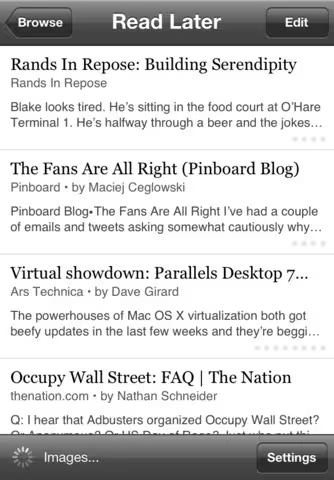 Instapaper is an app that allows you to save the contents of a page to read them later in a minimalist, clean format. From TNW Editor, Matthew Panzarino:
It’s honestly safe to say that the most amount of time I spend in any one app outside of Kindle or a game is in Instapaper. It allows me to catch up on the news I see throughout the day but don’t have time to read right away and, with its archive of all of the articles I found interesting, becomes a repository for a lot of really great stuff over time.
Check out our review of Instapaper 4 here
➤ Instapaper, for the iPhone/iPad
Pulse
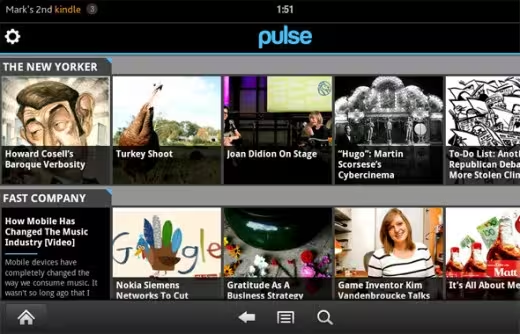 Pulse takes your favorite websites and transforms them into a colorful and interactive mosaic. Start by saving the stories you want to read later with the browser bookmarklet. Just tap an article to see a clean and elegant view of any news story. Sharing stories on Facebook and Twitter takes two taps. It even syncs with Instapaper, Read it Later and Evernote.
Check out how Pulse landed a pre-load spot on the Kindle Fire
➤ Pulse, for iPad/iPhone, Android, Nook and Kindle Fire
Alfred
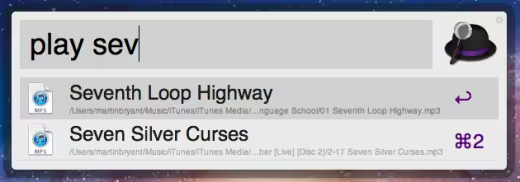 Alfred is the personal butler for your Mac. Like Spotlight or Quicksliver, Alfred is almost like a text version of Siri for your Mac, allowing you to launch apps, play iTunes songs and searching the Web.
With just a simple pop-up text entry box, Alfred makes all sorts of tasks very easy to perform. From our review of the 1.0 release:
You can summon Alfred from wherever you are in OS X with a simple keyboard shortcut. Want to play Bohemian Rhapsody? Type “play bohemian rhapsody” and (assuming it’s in your library) iTunes will start to play it. It’s just as easy to search Google, Wikipedia, Amazon or your own computer; email a contact from your address book and much more.
➤ Alfred, for Mac
CloudApp
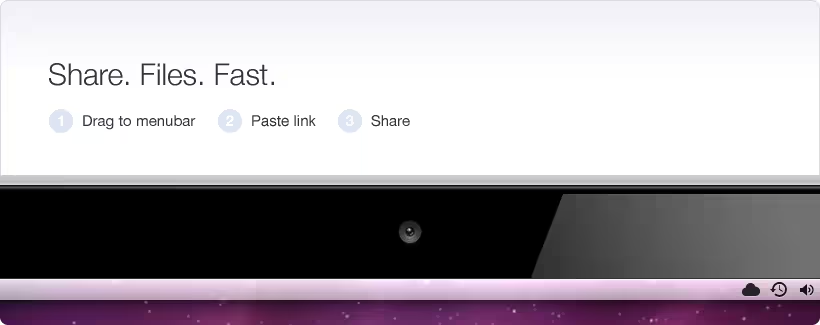 CloudApp is simply the best possible way to share screenshots on the Mac. Simply drag a file from your desktop onto Cloudapp’s menubar icon, and your image is instantly uploaded with the link copied to your clipboard. Cloudapp can also be set to upload screenshots as you take them, making sharing screenshots effortless.
CloudApp also allows you to share links, music, videos and files, in addition to images. You can also view, track and delete files right from your menubar.
➤ CloudApp, for the browser and Mac
Fantastical
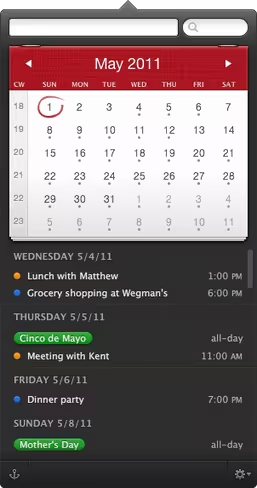 Fantastical, by Flexibits, is one of the best ways to create and manage calendar events. It works with iCal, BusyCal, Entourage and Outlook, and is compatible with iCloud, MobileMe, Google Calendar or Yahoo! Calendar accounts. From Fantistical:
Fantastical’s natural language engine is expressive and intelligent so you can write in your own style. Fantastical also automatically recognizes the location of your event and can even invite people from your Address Book to the event.
All in all, its a great way to keep track of events without having to open up your entire calendar app. It’s quick, easy, out of the way and rather attractive, too.
➤ Fantastical, for Mac
iDoneThis
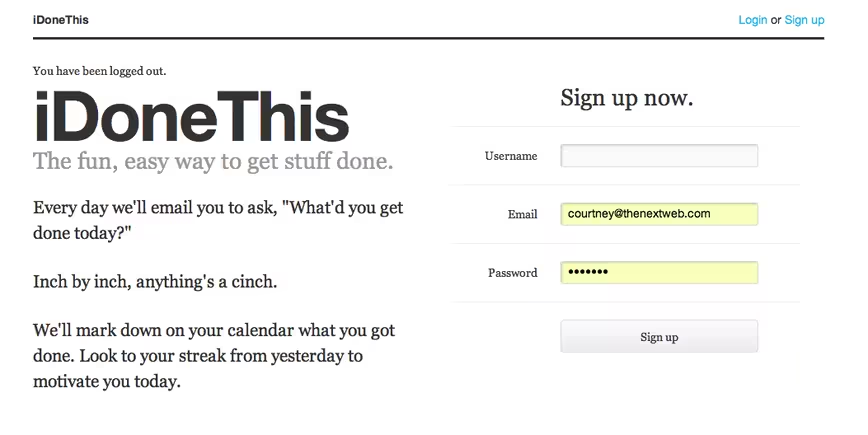 iDoneThis keeps a calendar of your completed tasks. Every day it emails you asking, “What’d you get done today?” Replying to the email automatically creates an entry, making it an easy way to keep track of your accomplishments, while serving as a motivator based on what you have already managed to achieve.
As of September, over 200,000 tasks have been completed on iDoneThis. From Walter Chen, co-founder of iDoneThis:
We’ve found that the users that stick with iDoneThis are people who already get stuff done. They have accomplishments every day, but because they don’t track their progress, they have a ton of accomplishments that they don’t give themselves credit for. When these people get our daily email for the first time, which gives them cause to stop and reflect on their day, they’re thrilled to find out that they got done a bunch more than they had thought. That spark motivates them to do more the next day.
➤ iDoneThis, for the browser
Honorable mention: Bounce, the perfect way to share comments, ideas and notes on a website. It would have easily made the top list, but is mostly only relevant for designers and programmers.
What have you done in 2011 to stay productive? Did you utilize technology to manage tasks, or do you prefer to rely on traditional methods like a pad and a pen? If you relied on anything we didn’t mention above, please share it with us in the comments below!
If you’re still searching for more ways to be productive, check out this article on 1o things you need to do to be supremely productive. Also, Microsoft recently shared its concept for productivity in the future.
Get the TNW newsletter
Get the most important tech news in your inbox each week.


