A picture shows a You Tube logo on December 4, 2012 during LeWeb Paris 2012 in Saint-Denis near Paris. Le Web is Europe’s largest tech conference, bringing together the entrepreneurs, leaders and influencers who shape the future of the internet. AFP PHOTO ERIC PIERMONT (Photo credit should read ERIC PIERMONT/AFP/Getty Images)
 Credit: AFP
Google updated its YouTube Capture for iOS app today with a raft of advanced, yet accessible video-editing features geared towards vloggers and creative types who want to graduate from Vine and Instagram.
While holding your iPhone or iPad in landscape mode – YouTube still opts for a traditional aspect ratio – you can now record your shots using the tap and hold gesture pioneered by Vine. There’s still the option to just press the on-screen record button for longer shots, but it’s clear that Google is striving for a far simpler user experience across all aspects of the app.
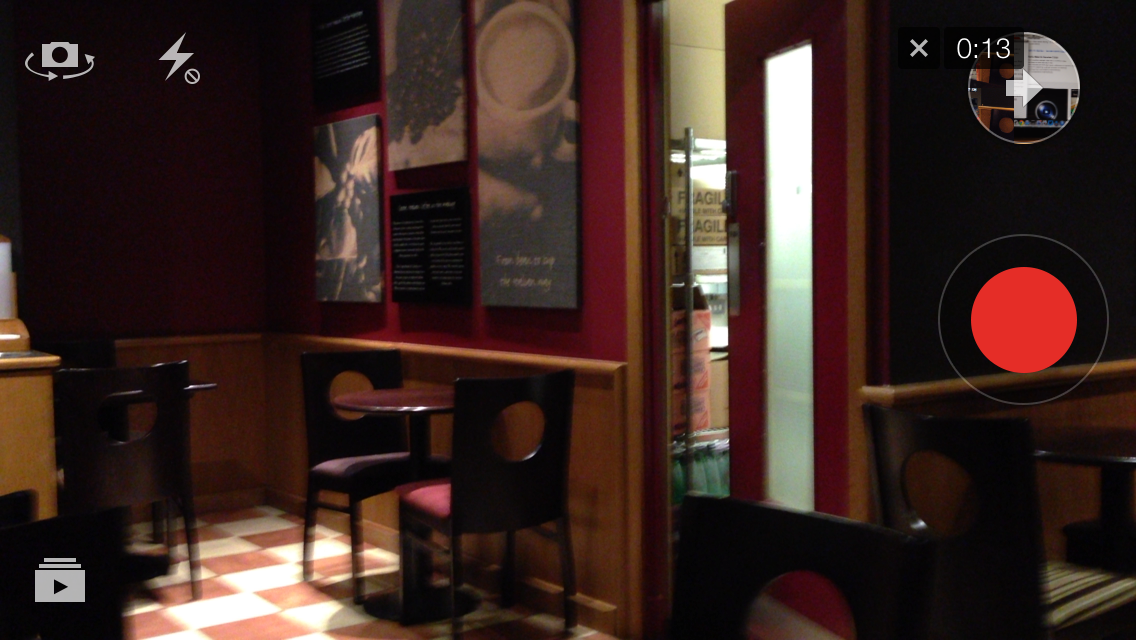
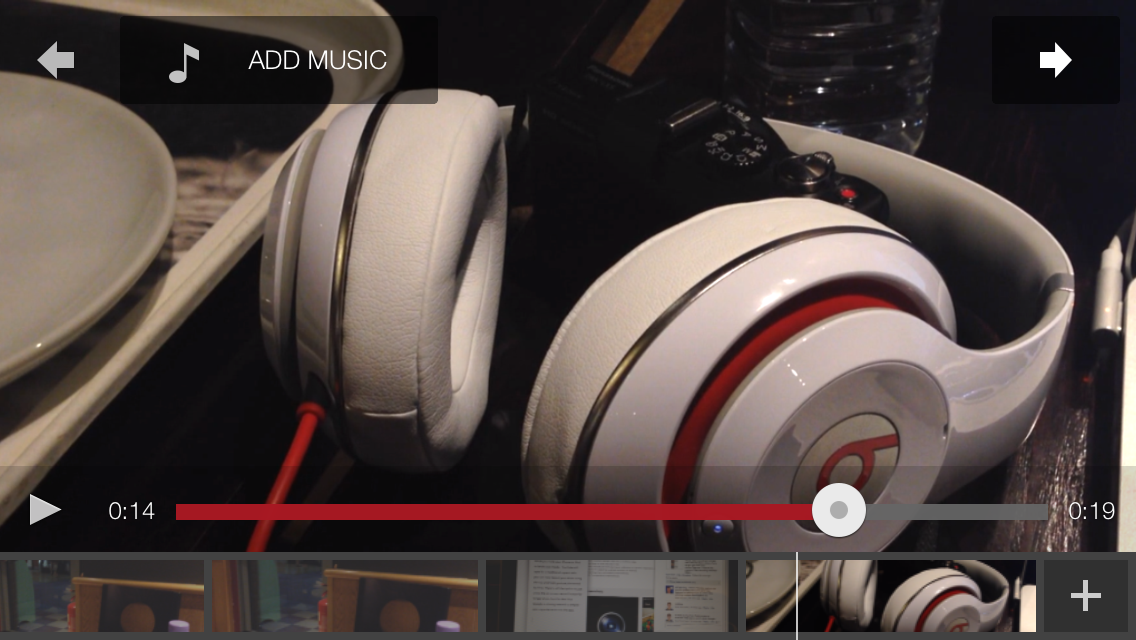
Finished clips bounce into a circular bubble in the top right-hand corner, with a time-stamp to display the total duration of your combined shots. Tapping the bubble brings up a trimmed down editing mode where – again, just like Vine – you can rearrange shots as you please. By pressing the plus symbol in the bottom right-hand corner of the screen, you can also import new clips that are already stored in your Camera Roll.
Tapping each clip thumbnail then shows a frame-by-frame breakdown of the clip: Here, you can trim the shot by dragging the sliders on either side of the screen. That’s unique to YouTube (although not for other video-editing apps) and you can also add music either from your own music library or YouTube’s expanded selection of backing tracks.
Once you’re done, it’s just a case of uploading your project to a YouTube channel and sharing it on Google+, Facebook or Twitter depending on your preference. If you’re feeling shackled by the 6 and 15-second video restrictions imposed by Vine and Instagram, it’s worth taking another look at YouTube Capture.
Unless you own an Android device, of course.
➤ YouTube Capture | iOS
Disclosure: This article contains an affiliate link. While we only ever write about products we think deserve to be on the pages of our site, The Next Web may earn a small commission if you click through and buy the product in question.
Image Credit: ERIC PIERMONT/AFP/Getty Images
Get the TNW newsletter
Get the most important tech news in your inbox each week.
Also tagged with


