 Credit: Adobe
Adobe released new tools for Photoshop, Premiere and Lightroom on Tuesday at its MAX conference in Miami Beach. Most of them are available today, and a few are in beta.
Adobe announced the features alongside its plan to let outside AI agents work inside its apps from early 2027.
“With demand for content growing across every format and channel, we’re delivering new innovations across our product portfolio that expand how creative work happens and put the power of Adobe’s tools within reach for even more creatives,” said Anil Chakravarthy, Adobe’s president and incoming chief executive.
Photoshop
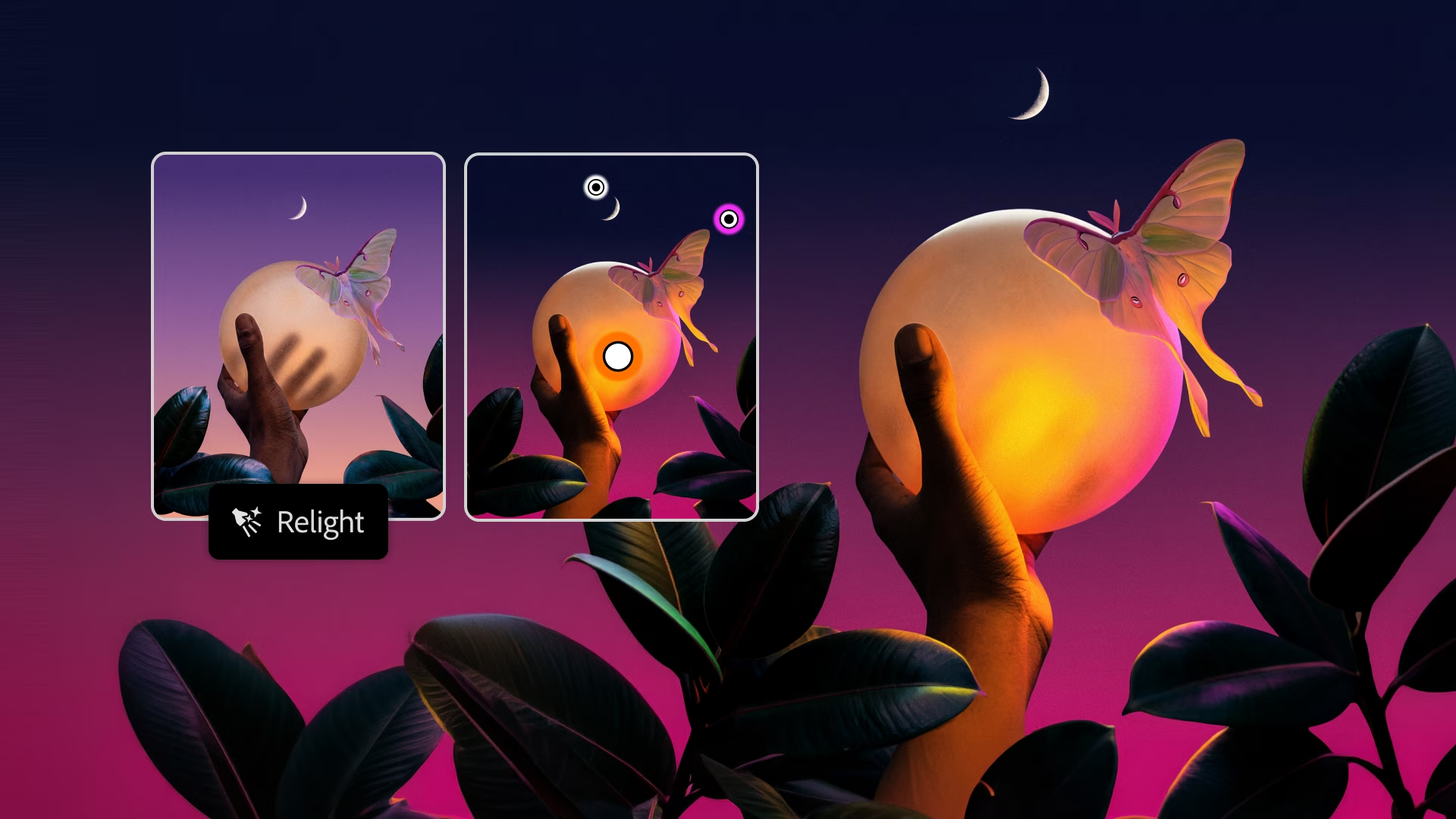
Photoshop Relight adds new light sources that blend into the scene. Users can move them and change their colour and brightness, and the original image stays untouched.
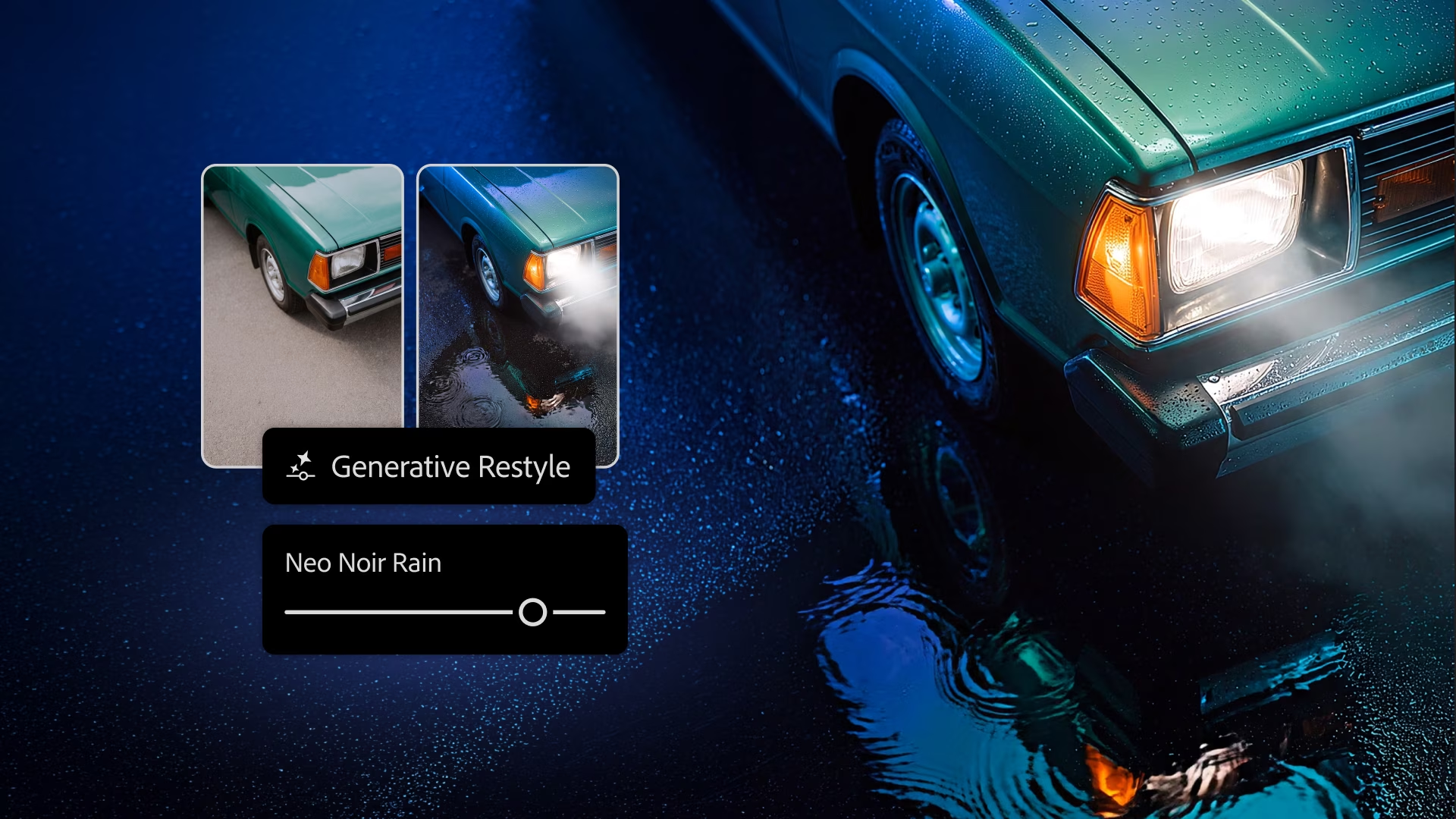
Generative Restyle turns a typed edit into a layer with its own slider. Users can dial the effect up or down without writing a new prompt.
The Remove Tool now also picks up related elements, such as footprints, reflections, shadows and waves, when it erases an object. Quick Compare adds an on-canvas slider to compare before and after. AI Assisted Editor is a simpler, prompt-first mode, with a switch back to the full Pro Editor at any time.
The Photoshop beta app gets more, all in beta, Adobe’s Deepa Subramaniam wrote in a blog post. Mockups places a design onto an object or surface. Camera Angles shows an image from new viewpoints. Generative Recompose moves an image into a new aspect ratio and keeps its structure. Convert to Text Layers turns text in a flat image into editable type.
Premiere
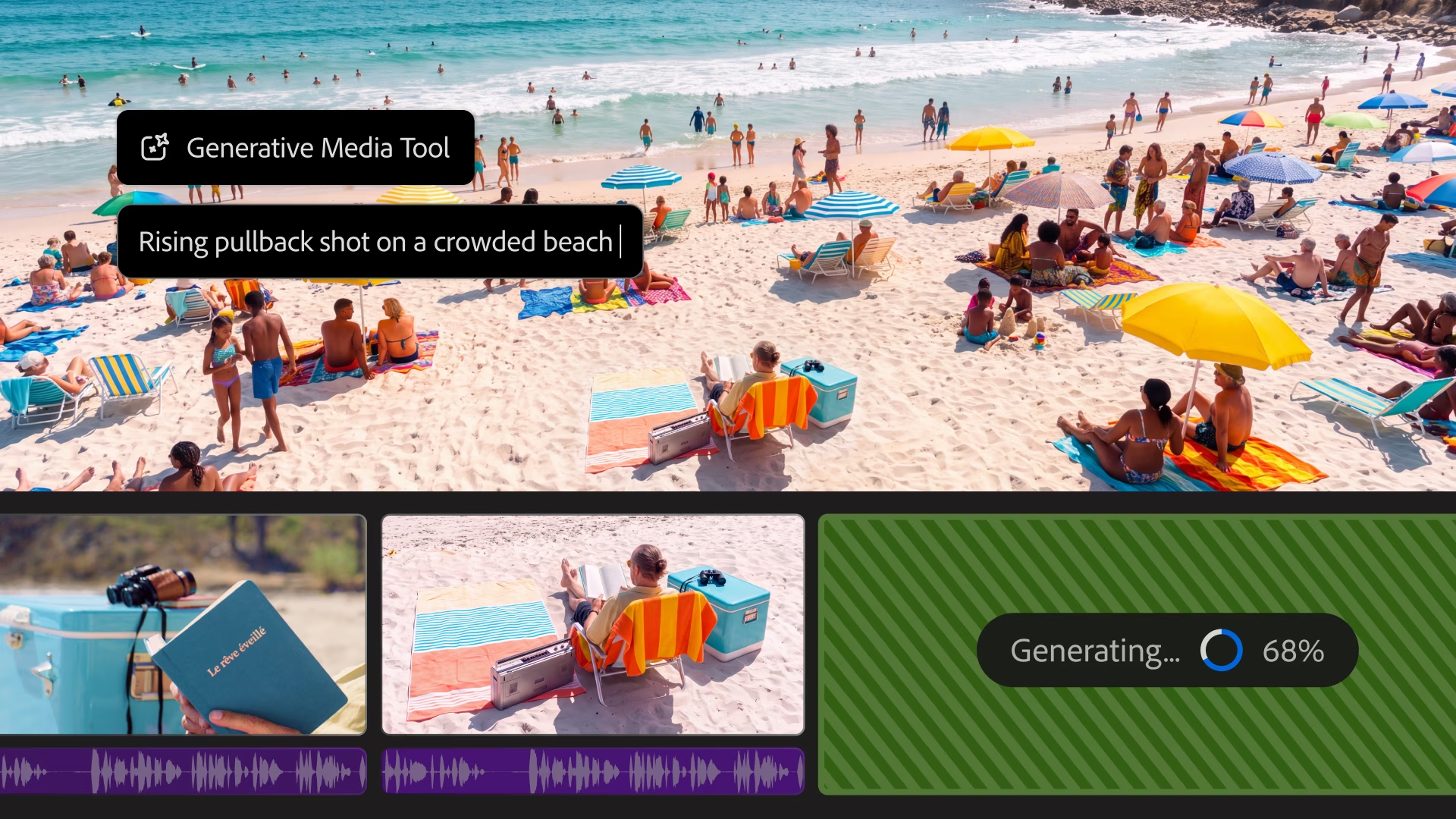
Color Mode, a new colour-grading system built for video editors, is now generally available. The Generative Media Tool creates video, sound effects, soundscapes and music inside the timeline, using the edit as context. Editors can pick Adobe’s Firefly models or models from Google, Kling, Runway and Luma.
New audio tools split a recording into dialogue, music, ambience and sound effects, so each can be mixed on its own. Separate Crosstalk puts overlapping speakers on separate tracks. Generative Remove, in beta, erases boom mics, logos or other distractions: users mask and track the object, click Remove, and Premiere fills the gap.
Lightroom
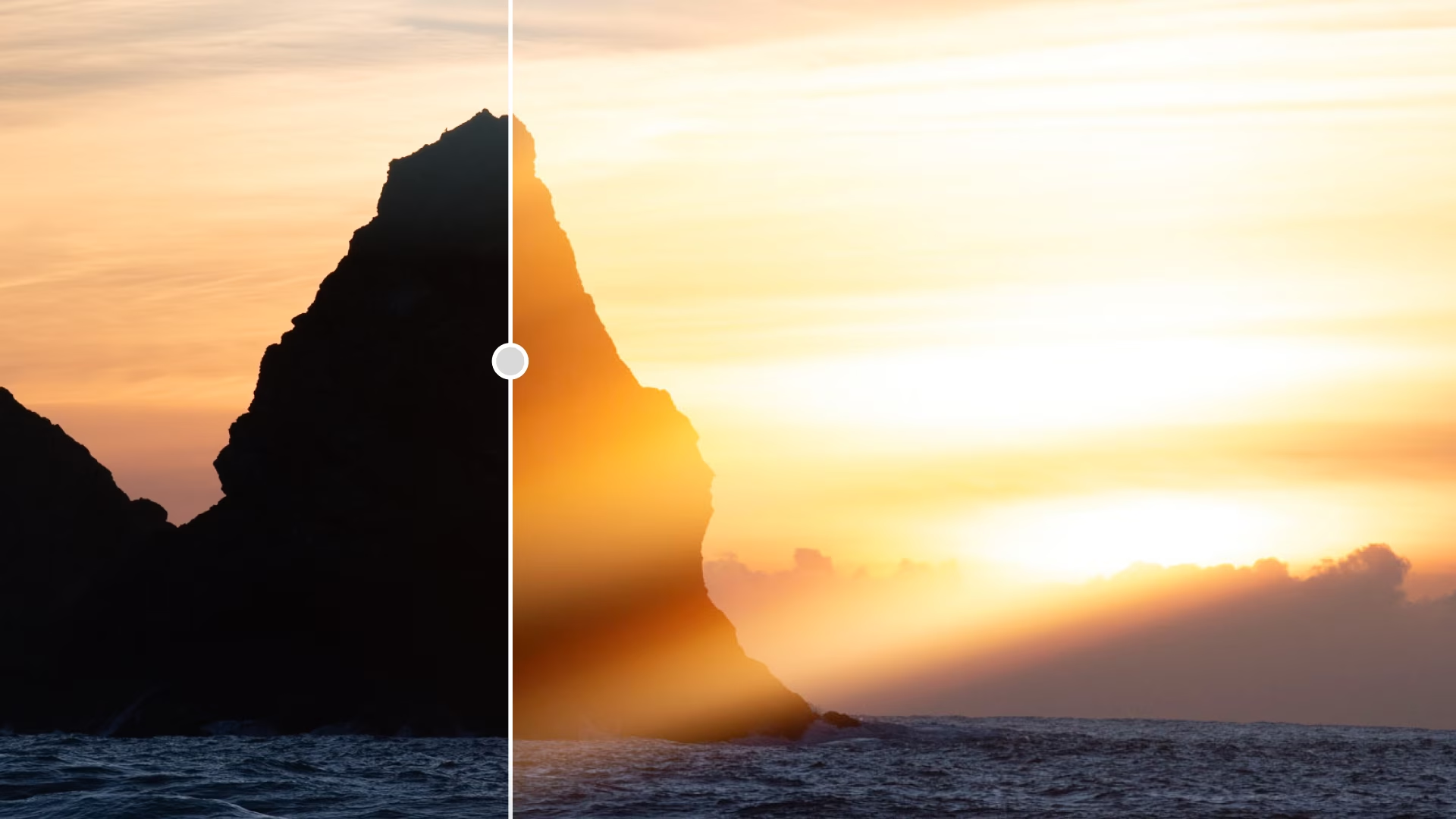
Glow adds soft, cinematic light, from a hazy Diffusion look to a retro-film Halation effect. Users can start from a preset or shape how the light spreads.
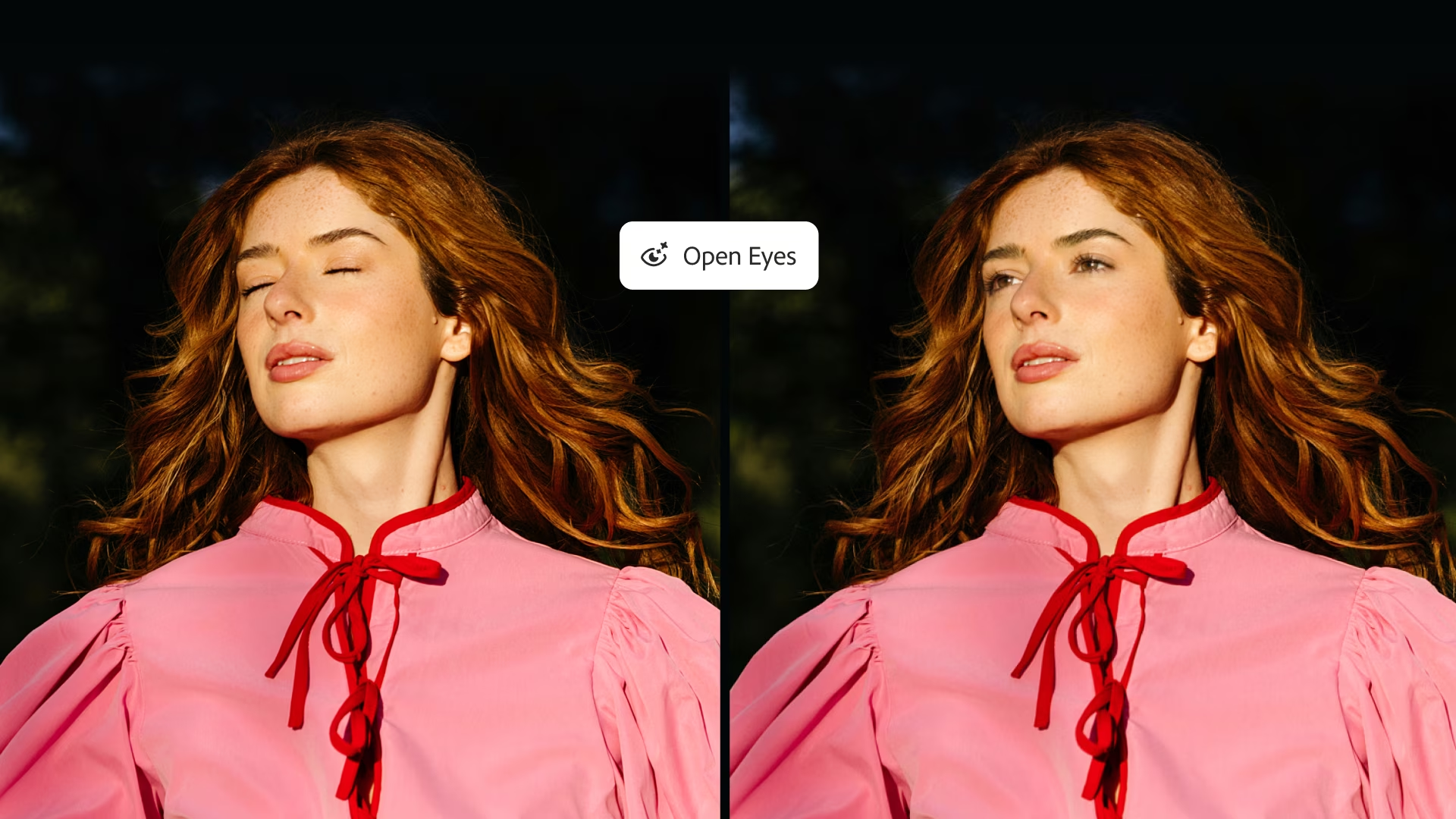
Open Eyes, in beta, fixes a blink by using another photo of the same person from the library. Users can pick that reference photo or let Lightroom find one.
Blemish Removal, already in Lightroom on mobile, now comes to Lightroom with extra controls. It keeps natural features such as freckles. Camera tethering is improved on desktop and iPad, so photographers can review and organise shots as they take them.
InDesign, Illustrator and Topaz
InDesign adds real-time Co-editing, in beta, and Flex Layout, which resizes text frames as content changes. Illustrator adds new brushes, patterns and gradients, plus on-canvas Blend controls.
Topaz Labs, which Adobe agreed to buy in June and took over in September, released two image models, sold separately. Wonder 4 upscales, denoises, deblurs and sharpens in one click, and Image HDR turns standard images into HDR.
Optimised versions of Photoshop, Premiere, After Effects and Substance 3D Painter (in beta) are available today for Arm-based Windows PCs, Adobe said in a blog post. Those PCs include Microsoft’s new Surface Laptop Ultra, which runs on RTX Spark chips. Adobe Express tools are also coming to Microsoft Photos, starting with a preview for Windows Insiders.
Get the TNW newsletter
Get the most important tech news in your inbox each week.


