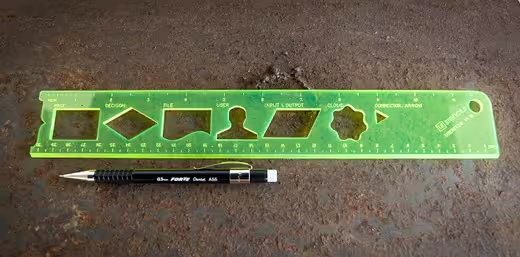
Drawing is at the heart of design, and the best way to do it is with a sheet of paper and a pen. I’m not the only one who believes this, either. The tactile sensations and permanent nature of a pen on paper help you actually understand what you’re doing.
Sure, it’s genuinely tempting to begin each and every one of your projects with a computer, since you’re likely going to finish there in the end. But for designers, this can lead to big problems. Your results will be so quickly polished that you’ll settle too early. As we said last week, starting in Photoshop or Illustrator keeps you from truly experimenting.
Stripping down to the basics is one of the best things you can do for yourself, so why not pull out a pad now and get started? You can begin with very abstract, rough sketches. Play with different compositions, explore and then polish.
Once you hit a certain point, you’ll need to start refining a few of your favorite drafts, and that’s when user interface (UI) design comes into play. As with every form of interaction design, many standard UI elements exist (especially on iOS devices). In this case, it’s best not to completely deviate from standard elements to avoid confusion. So here you are, in the middle of your sketching process, googling for iPhone UI elements so you can sketch them into your mockups…
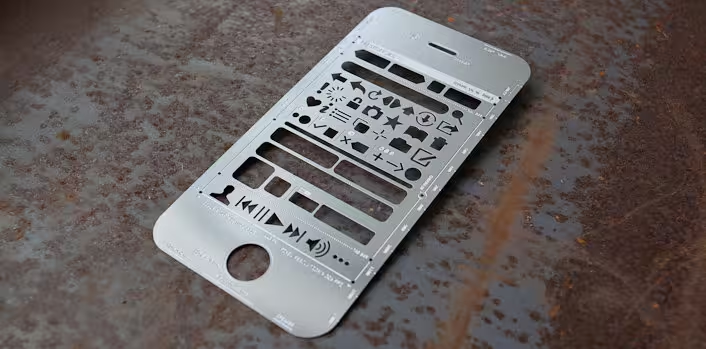
So far, I’ve found one quick and easy solution to make this process way less tedious: UI Stencils. These iPhone and Website user interface stencils bring wireframing to your notebook so you can continue playing on paper or sketch on-the-go. The company also makes Android, iPad and Windows Phone 7 stencils as well, and all are decently priced.
You may also be interested in ditching your notebook altogether for a phone or browser UI sticky pad / dry erase board. I personally recommend you cut costs by printing out your own Paper Browser, but the choice is yours.
From UI Stencils:
Using a pencil and paper is often the best way to get ideas down. Revolutionary products have been conceived on a napkin before taking shape digitally. Our stencil kits pays homage to the fact that ideas flow naturally with pencil and paper. The kits are designed to quickly sketch user interface, user flows, and ideas for how your app might work.
Your computer is simply a tool and you are the talent. Embrace that and start from scratch — then move to your screen. What do you believe? We got some great responses when we wrote that every designer should start with paper, not Photoshop. Let us know your thoughts in the comments below!
Get the TNW newsletter
Get the most important tech news in your inbox each week.


