
It seems like 2012 is the year of curation tools online as we’re feverishly trying to save all of those gems that we find online. Be it apps like Pinterest, Delicious, or Clipboard, there are tons of tools to remind us to check things out later and share it with our friends.
A really awesome Chrome extension called youRhere will not only save the things you’d like to check out or share later, but it will let you save the exact spot where you left off while reading it.
Whether you get pulled into a meeting or have to walk the dogs, you’ve probably started to read an article and had to drop everything that you’re doing. Rather than have to re-read what you’ve already read later, you can double click a line in the article and youRhere will remember it for you.
Once you install the extension, all you have to do is click the icon in Chrome and then double click the line you’d like to save:

The line of text will be highlighted in yellow and the extension will show you a complete list of everything that you’ve saved:
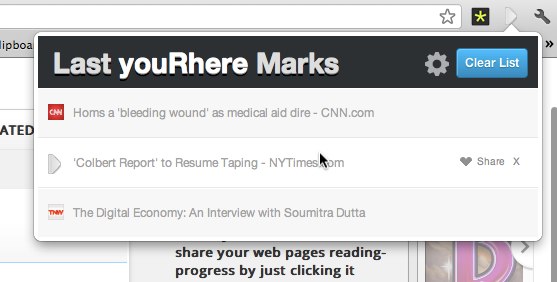
You can share these “placemarks” on specific web pages with your friends on Twitter and Facebook and they’ll be able to jump to the exact line you saved if they have the extension too. This serves as a way to point out a particular part of a Wikipedia page for research or a way to surface a link to someone with some context. There’s nothing worse than something sending you a link and you have no idea which part of the story your friend wants you to check out.
At the end of the day, there is so much to consume online and handy tools like this can help us keep things straight for future reading, research, or sharing. The extension is extremely lightweight and I’ve already started using it as I surf the web. If you’re a Chrome user, youRhere is a must have.
Get the TNW newsletter
Get the most important tech news in your inbox each week.
Also tagged with


