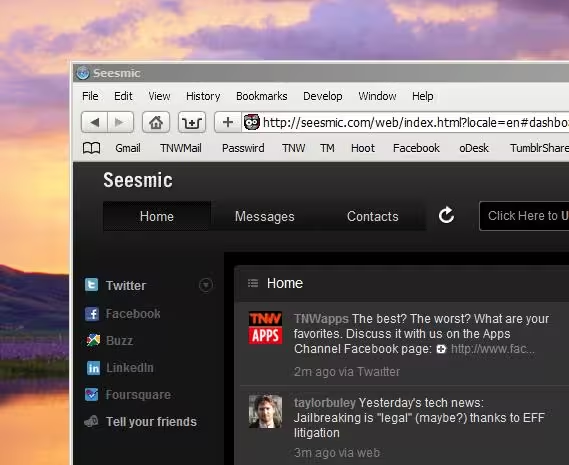
If you’ve read TNW Apps for any length of time, then you already know that I’m a huge fan of Seesmic. It’s my Twitter application of choice on my Droid, and the Seesmic Desktop client is stellar.
There are times, though, that you aren’t in a position to use a full blown desktop client. Or maybe you’re just looking for a better way to run Twitter in a broswer? Seesmic Web is your answer.
Seesmic Web has been around for a while, but the latest update brings some really slick changes:
- Facebook and LinkedIn account Integration
- Refreshed design and visual clues for important messages
- HTML5 Desktop Notification (Only on Chrome)
- More languages : Indonesian, Korean, Polish, Dutch.
The Facebook integration is probably the biggest news for a lot of us. I used to use services like Ping.fm to update across all networks, but I’ve moved away from that in an attempt to separate “real life” from “work life”. In the new Seesmic Web, your Facebook will function just like a Twitter stream, allowing you to easily see, read and comment on the site.
The LinkedIn integration is very well done, and works great for those who communicate and network on the service.
My favorite new function, however, has to be the new controls. Hovering over the bottom right of a Tweet, you’ll now have a menu that pops up allowing you to reply, retweet or access a function menu for the user. All really handy stuff that the previous versions were missing.
For Chrome users, there’s also a new Desktop Notification. So even if you’re not in the Seesmic tab, you’ll still know when things are happening on Twitter or your other connected accounts.
Overall, some really welcome additions to an already-great platform. If you use Twitter in the browser, you’re about to stop. Seesmic for Web is, simply, a more satisfying experience for keeping in touch.
Get the TNW newsletter
Get the most important tech news in your inbox each week.
Also tagged with


