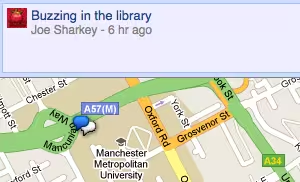
As we argued recently, the real fun with Google Buzz is browsing all the location-based posts people have made from their mobile phones.
As of yet, Google hasn’t provided an official way of browsing all that location-based social goodness from a desktop browser.
However, there is a sneaky workaround you can use to find out exactly what’s Buzzing in your local area without having to use a compatible mobile phone. It works by tricking your browser into loading the mobile version of Buzz. You can do this by logging into your Google account and then going to the following URL: https://m.google.com/app/buzz?force=1#~buzz:view=me
From here, go to the Menu and select ‘Nearby Buzzes’. You’ll need a location-aware desktop browser to do this. A recent version of Firefox will be fine. Just make sure you grant it permission to share your location using the drop-down warning at the top of the window when you load the map.
You’re now free to browse the map and find out what people are talking about nearby. It’s even possible to post location-tagged buzzes from your browser too. One thing you can’t do it view comments on buzzes, which limits just how useful this solution can be in the long-term.
Because it’s a mobile interface blown up to mega-size it looks a bit rubbish and it’s a bit difficult to use. You can’t zoom the map and as it starts at your current location, moving to far-away locales will take a lot of scrolling. It’s worth persevering though if you haven’t had a chance to try out the completely different experience that mobile Buzz provides.
For an introduction to Buzz and more top tips, make sure you check our Complete Guide.
[via Buzzusers.com]
Get the TNW newsletter
Get the most important tech news in your inbox each week.
Also tagged with


