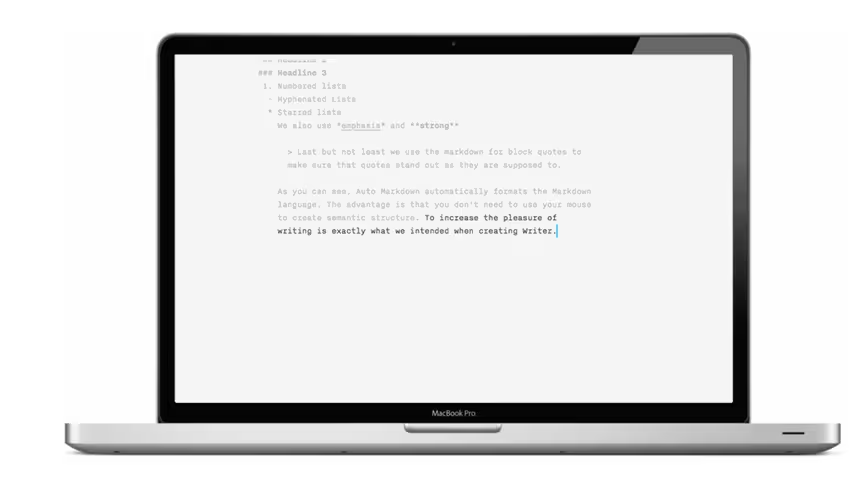
If you’re a minimalism freak you’ve come to the right place. Today marks the release of iA writer for Mac, a writing app or rather “digital writing tool” with so much minimalism, there’s barely anything there.
Let’s run through the features, won’t take long, and I’ll then share my initial impressions.
Features
1. Zero Preferences
Yes, this is apparently a feature. There are no preferences, what you see is what you get. No font size alterations, no font choices, no background color changes, no formatting, nada. In fact, the only option you have is full screen and “focusMode”. More on focus mode now…
2. Focus Mode
This patent pending feature essentially places your body of text in the center of the page and fades away each sentence as you complete it to help you to focus on the sentence you’re completing. Why? According to iA founder Oliver Reichenstein “it’s a common pattern, that, instead of following the voice and fleshing out the text in one go, people start editing before the text is done.”
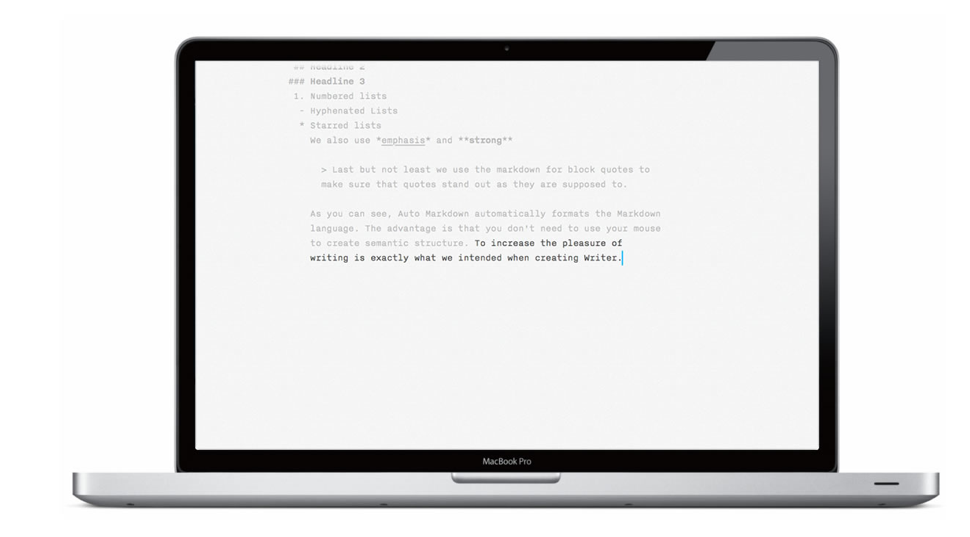
3. Auto Markdown
Markdown is a way to format your text to add bold and italic text, images, headings and a few other things, without having to use HTML. iA’s Auto Markdown feature automatically formats the Markdown language, keeping your fingers glued to your keyboard.
 4. Approximate Reading Time
The app gives you an approximate reading time based on the amount of text you’ve written, not dissimilar to iA’s own blog which includes approximate reading time at the top of every post. iA has also generously included figures for words and characters written, a must for many writers.
5. Syncing over Dropbox
Technically not a built in feature, but one you should know about. Being an ultra simple text editor means it saves in plain text making it very easy to edit on other applications should you choose to leave. More significantly if you’re an iA for iPad user, you can sync to iA Writer for iPad and continue writing on the tablet.
So what do I make of it?
In all honesty I might have come into this review with a little bias. I’m tired of these ultra minimalist applications that sell themselves based on how few features they have. Yes, there’s value in being highly aware of “feature creep” but occasionally I imagine developers are snickering behind our backs at the fact that they can now sell applications for higher prices but with barely any features. But I digress, I’ll save this discussion for another piece on another day. However, needless to say, when Reichenstein sent over the release of iA for Mac, I took a deep breath and prepared to think positive.
“No font changes, no text-size alterations, no preferences whatsoever?” Sounded almost ridiculous but I kept positive.
I installed it and launched it. I won’t pretend I didn’t miss the initial “let’s have a play” time that I enjoy with most new apps, after all, with iA there really is very little to test out. However once I accepted the app for what it is – a place to do nothing but write – words did seem to roll off the tongue so to speak. Typing felt fun, in large part thanks to the text being perfectly sized, font ideally chosen, background color easy on the eye and a genius of a feature in “focus view”, it’s a beautiful touch and does seem to help ensure a continuous flow of thought and text with few interruptions.
Will I use it? Probably not as much as I’d like to. As I primarily write on The Next Web, I need multiple windows, formatting, ability to insert links, images, auto spell check and much more. For a book or long form author however iA writer is likely to feel like a breath of fresh air, but if you’re a blogger or someone who enjoys “creating” the look and feel of a post or article as you write, iA writer for Mac isn’t going to be your cup of tea.
iA writer is built by the team at Information Architects, a well respected strategic design agency headquartered in Tokyo, Japan. The company focuses primarily on increasing page views for media companies across the globe through a combination of design, business and technology. It’s a smart team lead by Swiss born founder Oliver Reichenstein who launched the company in 2005. The company’s blog is full of must read articles giving, primarily Reichenstein’s, perspective on web typography, user experience, development and digital content.
Download
Download iA for Mac here for $17.99. Yes, I think that’s a little expensive too but as with many Mac developers, it’s something they feel they have a right to charge for a well thought out product and millions of sales tell us customers are happy to pay for it. If you’re interested in a couple of alternatives for your mac, it’s worth checking out Byword, WriteRoom, Ommwriter, Writer and heck, Textedit :)
Note: It’s also important to note the application only currently supports Latin alphabetical languages and Russian.
Get the TNW newsletter
Get the most important tech news in your inbox each week.


