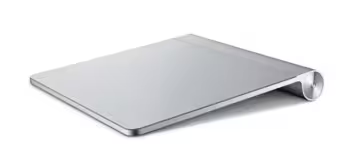
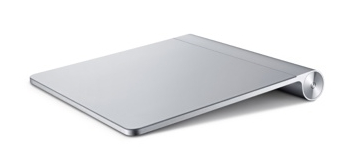
After the traditional dose of tension-building downtime, the Apple Store is now sporting some shiny new products. So, what’s new?
The biggest news is the Magic Trackpad, bringing a multitouch interface to Apple’s desktop computers for the first time. We’re actually surprised that Steve Jobs didn’t want to unveil this onstage at a press event as it’s a pretty significant move that sees multitouch extended across most of the company’s products. It’s priced at a highly attractive $69 and is available to order now.
The wireless trackpad requires two AA batteries, prompting Apple to launch a battery charger. An expensive, battery charger, but a charger nevertheless; yours for $29.
Apple says:
“The Magic Trackpad brings the intuitive Multi-Touch gestures of Mac notebook trackpads to the desktop. With its glass surface, the wireless Magic Trackpad enables users to scroll smoothly up and down a page with inertial scrolling, pinch to zoom in and out, rotate an image with their fingertips and swipe three fingers to flip through a collection of web pages or photos. The Magic Trackpad can be configured to support single button or two button commands and supports tap-to-click as well as a physical click.”
Also new is:
- A refreshed range of iMacs.
- 12-core Mac Pro: Apples says: ““With up to 12 cores, the new Mac Pro outperforms our previous top-of-the-line system by up to 50 percent, and with over a billion possible configurations, our customers can create exactly the system they want.””
- 27-inch cinema display: Apple says: “The new, larger 27-inch LED Cinema Display features a beautiful 16:9 edge-to-edge glass display on an aluminum stand with an adjustable hinge that makes tilting the display almost effortless. The LED Cinema Display has vivid colors and exceptionally high contrast and uses a premium display technology called in-plane switching (IPS) to provide a brilliant image across an ultra wide 178 degree viewing angle.
Get the TNW newsletter
Get the most important tech news in your inbox each week.
Also tagged with


