TL;DR
Mozilla unveiled Project Nova, Firefox’s biggest redesign in six years. It brings softer tabs, a fire-inspired colour palette, compact mode, and clearer privacy controls. The rollout is expected later this year.
Project Nova gives Firefox softer tabs, a fire-inspired colour palette, and a cleaner settings page, with a full rollout expected later this year
 Credit: Mozzilla
Mozilla unveiled Project Nova, Firefox’s biggest redesign in six years. It brings softer tabs, a fire-inspired colour palette, compact mode, and clearer privacy controls. The rollout is expected later this year.TL;DR
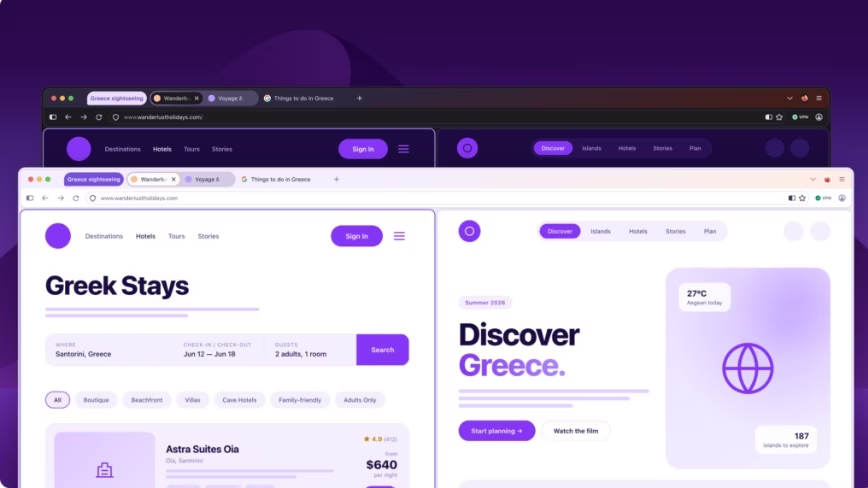
Mozilla has officially unveiled Project Nova, the largest visual overhaul of Firefox since 2020. The redesign touches tabs, icons, spacing, colour palette, and settings, with the goal of making the browser feel warmer and faster without losing its identity as the only major browser not built on Chromium.
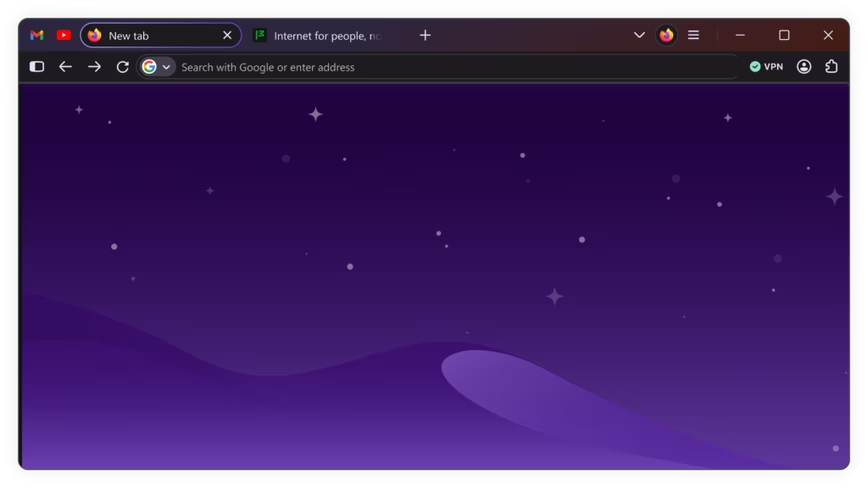
The changes start with the tabs. They now have a softer, more rounded shape with a subtle gradient that gives the active tab more visual weight. The rest of the interface follows suit: panels, menus, and browser controls share consistent curves and spacing. Icons have been redrawn for better balance across light and dark themes.
The colour palette is new too. Mozilla describes it as inspired by fire, with deep smoky purples and lighter warm tones replacing the flatter hues of the current design. The active tab gets a glow effect that ties the whole interface together.
Compact mode is returning. Mozilla removed the option years ago and users have been asking for it back ever since. The reinstated mode condenses browser controls to reclaim vertical screen space, a straightforward concession to the power users who make up a disproportionate share of Firefox’s base.
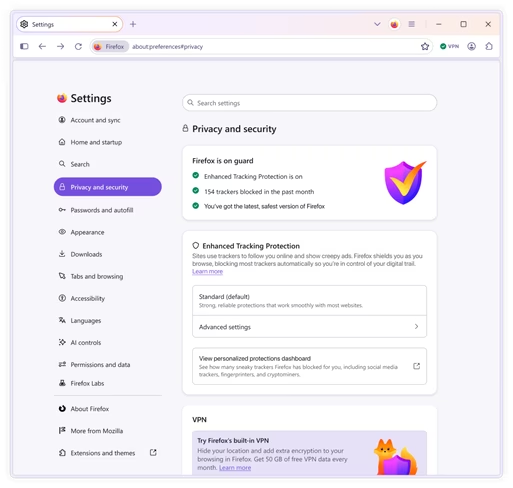
Beyond aesthetics, Nova makes privacy tools more visible. The built-in VPN, which Mozilla launched as a free feature with 50 gigabytes of monthly data, gets a more prominent placement. Settings are being rewritten in plainer language, with clearer controls for Enhanced Tracking Protection and the option to turn off AI features entirely.
Mozilla claims Firefox has improved load times for key page content by 9 per cent over the past year. Part of that comes from tracker blocking, which reduces the amount of third-party code a page needs to load. The browser also now prioritises the most important page elements before loading peripheral content.
The redesign extends to mobile. Shared colours, icons, and design tokens will make Firefox feel more consistent across desktop and phone. Mozilla is also adding new themes and wallpapers, with plans to let users customise the shape of interface elements like tabs and components over time.
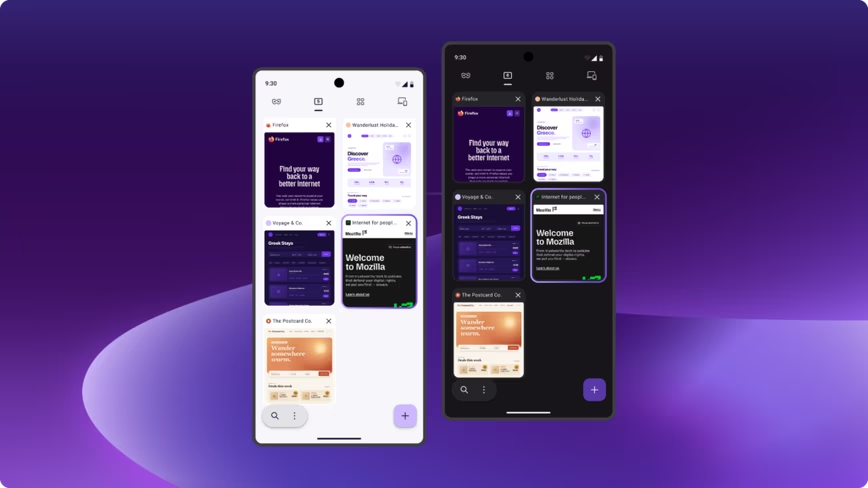
Under the hood, Nova introduces a shared design system built on reusable tokens and components. The idea is that future features integrate into a cohesive visual language rather than looking bolted on. That kind of infrastructure work rarely excites users, but it determines how quickly a browser can evolve.
The timing matters. Firefox holds roughly 2.3 per cent of the global browser market, down from double digits a decade ago. Google has been turning Chrome into an AI workplace platform, while also facing scrutiny over its tracking practices. Apple’s Safari holds second place at around 15 per cent. Firefox’s pitch, that it is built for users rather than platforms, needs a modern interface to match.
Mozilla has also been investing in AI on its own terms. Firefox 150 shipped with 271 vulnerability fixes found by Anthropic’s Claude, and the browser now offers optional AI features with a kill switch for users who want none of it. That approach, AI as a choice rather than a default, aligns with the broader Nova philosophy.
Project Nova is available for testing in Firefox Nightly builds now. The full rollout is expected later this year. Mozilla is collecting feedback through its Connect forum, staying true to its open-source tradition of building in public.
Get the most important tech news in your inbox each week.


