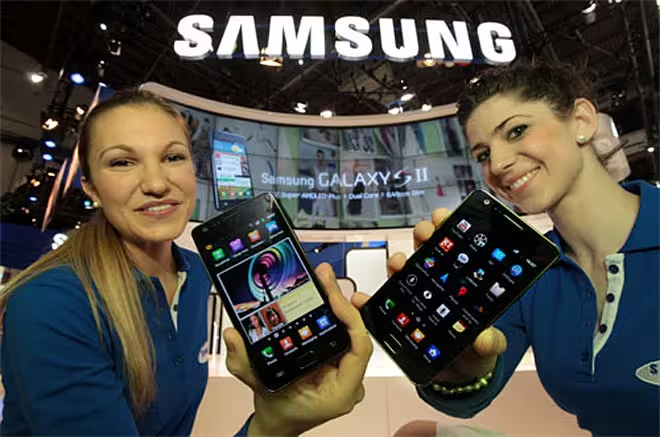
Losing my iPhone 4 sucked, but it was a great excuse to pick up a new phone. After hearing that the iPhone 4S would take anywhere from 3 to 4 weeks to arrive, however, I just couldn’t wait anymore. The customer service rep handling my order estimated the Samsung Galaxy SII’s arrival time at less than half the amount I’d spend kicking dirt for an iPhone 4S, so I placed the order blindly. One week later, my new Android phone was here.
The first thing I noticed was how ridiculously light the thing was. I’ve never seen any Samsung Galaxy SII commercials or advertisements (and if I have, I’ve conveniently tuned them out), so handling the device for the first time felt completely foreign to me. For some reason, it struck me as “cheaper” in a bad way. Does lighter and portable really equal lower quality? Probably not, but I was so used to the iPhone’s heavier body that a direct comparison was unavoidable.
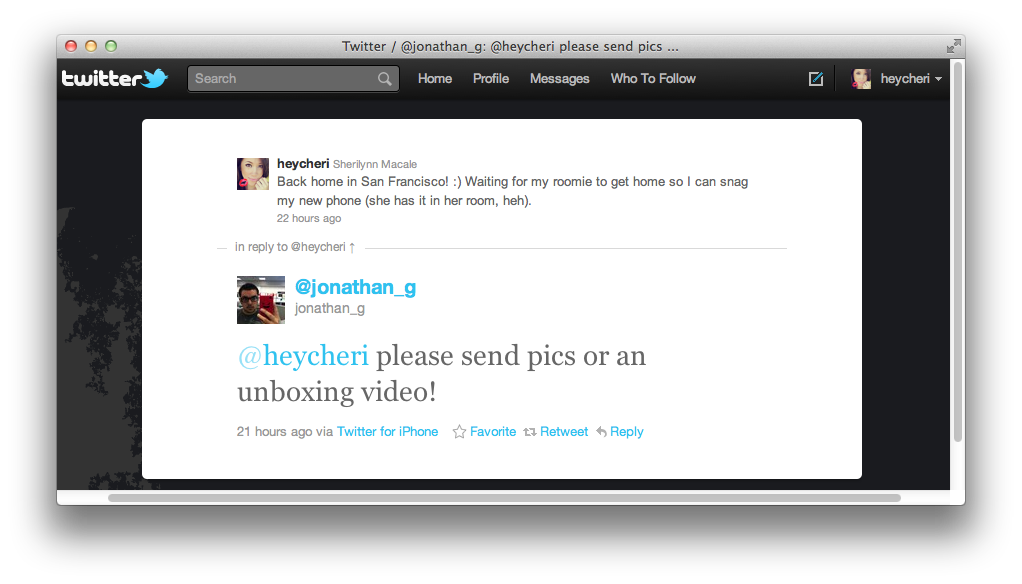
I would have taken pictures, but was too excited to stop and photograph the unboxing — despite one equally-excited Twitter follower’s plea.
Fortunately, I have been keeping track of my impressions as I’ve continued to toy with my new mobile device. Below you’ll find a general opinion on what the transition from an Apple iPhone 4 to a Samsung Galaxy SII equipped with the Android OS has been like for me.
What does it look like?
On the typically clear sticker protecting the Samsung Galaxy SII’s face is the following:
Does every Samsung Galaxy SII come with this sticker? Or is a different saying on each one? Regardless, I find the product packaging interesting and surprisingly humane. Either that, or it’s a mass-shipped subliminal message reminding everyone to pull their nose out of their phone while driving.
I also had to assemble the battery and phone myself, a task I actually found to be pretty fun, despite having to actually work to figure something out. iPhones require literally zero physical assembly, leaving its guts a secret to most screwdriver-challenged mobile users. With the SII, the way it’s packaged essentially teaches you how to reach the customizable additional memory compartment, as well as the easily switchable sim card slot, giving you a better understanding of how the device works.
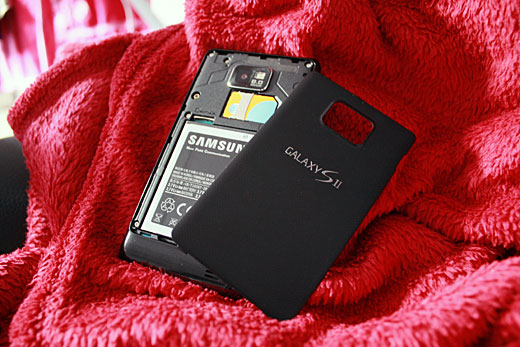
After the painless puzzle-piece assembly, I weighed the phone from hand to hand, surprised at how fragile it felt. When it comes to weight, the Samsung Galaxy SII is 0.7 ounces lighter than the Apple iPhone 4, coming in at 4.1 oz versus Apple’s 4.8 oz.
“Almost an ounce” difference may not sound like much, but having used an iPhone 4 sans cover for quite a while now, the difference is interesting. It threw me off for the first day, but after religiously carrying this thing around for more than 24 hours, I’ve found its weight to be enjoyable.
Plus, that screen is just impossibly huge! Compared to an iPhone 4, the Galaxy SII measures at 0.8 inches larger. That’s Apple’s 3.5″ versus Samsung’s 4.3″.
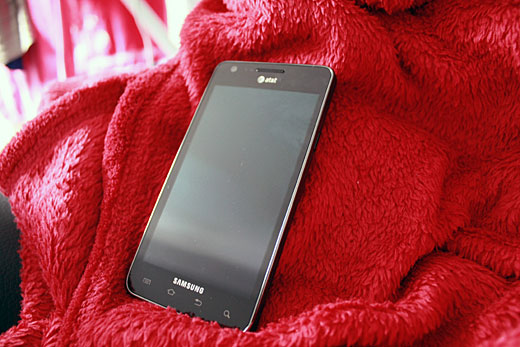
Also, these pictures hardly do the exterior any justice. Not only is the phone easy to disassemble and piece back together, but unlike the iPhone 4, it is not completely covered in fingerprint-loving glass. Instead, the Samsung Galaxy SII has an exoskeleton comprised of a mix between matte and low-gloss material. This makes the phone lighter and “cleaner feeling” as well.
With my iPhone 4, I was constantly swiping it clear with a lens cloth as it tended to accumulate and display grime rather easily. With the Galaxy SII, it actually makes handling my phone feel less “gross”. Less grime and body oils actually makes me want to play with the device more. Not to mention, dropping it actually feels a little safer (not that I’d ever drop it on purpose).
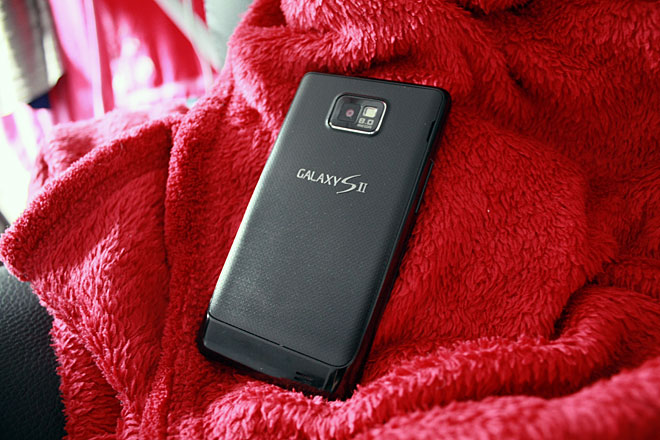
Similar to the iPhone 4, the Galaxy SII comes equipped with a front-facing camera as well as a rear facing camera with flash. The Galaxy SII, however, shoots with an 8MP rear camera (which I used to capture this image), while the iPhone 4 only shoots with 5MP. Even the front-facing camera on the SII is a step ahead of the iPhone 4 with a 2MP camera, while its Apple counterpart only has basic Video Graphics Array (VGA) capabilities.
iOS vs Android
Transitioning from iOS software to Android’s more open-source and customization-friendly interface felt very odd. With an iPhone 4, again, customization is limited to a few company-designated settings. The most you can do is shift your folders and applications around — it makes you realize how brainless (or convenient?) the whole Apple process really is.
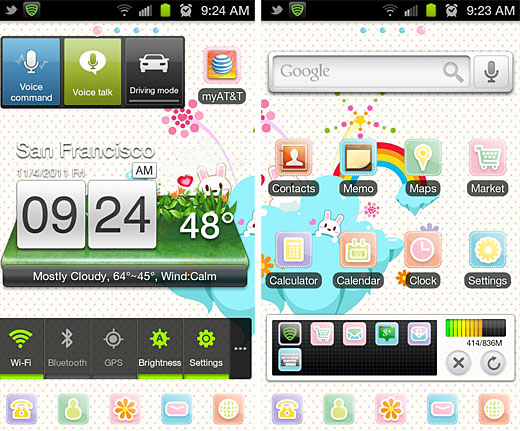
After having my Android for a day, not only is my onscreen keyboard now Candy HD Pink, but I can also implement live widgets on the different pages of my device and shift them around to anywhere I’d like on my mobile desktop — much like a WordPress theme editor. Applications aren’t grid-locked or auto-sorted on Android screens, leaving you to be as creative as you want with your app placement. Also, everything feels surprisingly speedy and smooth.
Being something of a social media geek, I elected to devote an entire page solely for social purposes. For example, on one page you’ll find a live-updating Facebook news stream widget, while below are app shortcuts leading to social networking services like Twitter, Google+ and Foursquare. It’s also worth noting that while using these applications, my keyboard retains the Candy HD Pink theme I’ve installed to work across my device.
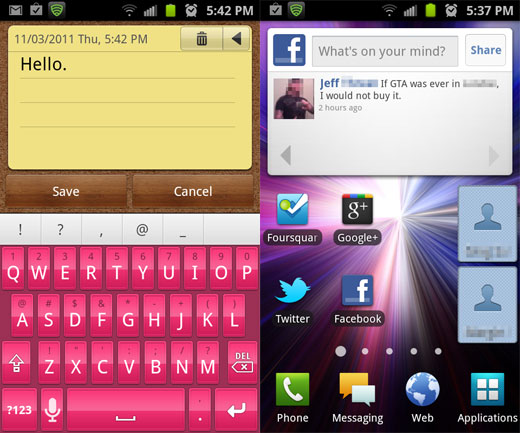
You can pretty much do anything on this thing — the entire Android OS desktop is a playground for pure customization, and it’s actually a lot of fun.
There are even certain apps you can install that completely change the stock user interface, allowing you to apply skins and themes to personalize your mobile experience. Go Launcher Ex, for example, changes the frames around your desktop app icons and completely redesigns the default app menu.
Everything from text messages to email ringtone notifications etc can be toyed with until your phone is exactly the way you want it to be. I, of course, went as girly as possible with my own themes. Apologies if too much pink offends you.

Overall Impression
There was a definite learning curve to figuring all of this out, naturally, and I was seriously repulsed by how generic everything looked at first. When I received my Samsung Galaxy SII, I was still very much in the “Apple” mindset, expecting everything to be absolutely perfect and conveniently tricked out for me right out of the box. This is an OS that actually takes a bit of thinking, however, to personalize exactly to your liking. And after getting a bit of time to play around with it, I’m very much a fan.
That isn’t to say that every app and program on the Android Marketplace is 100% terrific. Much like iOS apps, there are good ones and there are bad ones. It all just takes a bit of sorting through.
Fortunately, I am the type of person who enjoys being able to personalize and custom-craft every aspect of anything I can get my hands on, so having the ability to more deeply toy with the various settings on the SII has been incredibly entertaining. At the touch of a button, I can switch from “girly mode” to a more professional theme that suits a more business-centric environment. What I mean is — it never gets boring. After being an iPhone owner for such a long time, it feels good to break out of the “Apple” shell.
I definitely understand the Android perspective now. It’s not that it’s better or worse than Apple’s iOS — it’s such a completely different operating system that the two are hardly compatible. Each system offers different values and appeals to very different consumers. Android is interesting. It takes longer to mold, yes, but at least we can do some of the molding.
Of course, these are merely first impressions from a brand new Android OS adoptee, and I’m still waiting on my iPhone 4S to arrive in a few weeks for comparisons. My mind could very well change. I’ve only had a day or so to play with this beauty, after all, and I’ve only listed some of the very cool features that the Samsung Galaxy SII has (and trust me, there are tons). It will be interesting to see how the 4S compares.
That, however, is a story for another time.
In the meantime, you tell me: What are some must-have applications for a new Android OS user? Do you have any suggestions for me on what I should do with my new Samsung Galaxy SII to get the most value out of it? Let me know in the comments below.


Omg what is the name of t hat colorfull theme?
- spam
- offensive
- disagree
- off topic
LikeIts so funny something similar happened to me. I was a stone cold iphone user and i always won all debate. I led many to iphone by my words and influence. Unfortunately or should i say fortunately, i dropped my iphone in water. While waiting for my upgrade to kick in, i saw my friends HTC vivid with SPB shell on it. I immediately passed out. Afterwards, he gave me his old HTC inspire, which i customized with SPb shell 3d. HE warned me that customizing was quite addictive, which i ignored. Dude, i was driving and customizing, and customized all night at work. I also installed the app comparable to SIRI. ITs called Jeannie. I was so impressed. With google voice, i dont type any more. The voice command is so accurate that i could browse finger free, send and reply text finger free, update my status on facebook without typing. NAvigate to destination without typing. I was amused by the diversity and the power of android. All my contact's facebook page synchronized to my phone and grouping countacts to VIP, friends, family and more. I passed out again, and woke up. suddenly, iphone 4s looked so boring. The phone had no life. It was so boring that i worked out of the apple store. I customized my home screen with widget locker that one bar that i unlock opens android Siri (Jeannie), when i showed this off, dudes wear going crazy. When Jeannie was too much, i took it back elementary and the the second swipe bar at the lock screen opened google gesture. My iphone co-worker was initialy lost, then i drew Y with my hand and youtube came out, he passed out again. Everyone that got the new iphone is so pissed at me and many are already returning there phone. I have started the revolution lol. Those planning to switch from android to apple, held back that thought. I dont know why this android phones dont market the power of these phones. ITs way better and fun. My old HTC inspire is driving boys with new iphone 4s crazy, when customized, imagine me bringing out the samsung galazy.... Am loving it...
- spam
- offensive
- disagree
- off topic
LikeBatteryBar+ it gives you the percentage of how much battery you've got left and you can have it on the status bar, also the Screen filter. Both very useful :) Have it on my phone and tablet.
- spam
- offensive
- disagree
- off topic
LikeI did a video review of my phone http://www.luvdroid.com/2011/11/samsung-galaxy-s2-review/
- spam
- offensive
- disagree
- off topic
LikeGesture Search app!
Strange that Google never pushes this, but download the Gesture Search app. It lets you get quick access to contacts/apps/bookmarks by swiping the letter on the screen. It works really well. I use it just for contacts, but it's based on your preference. Enjoy!
- spam
- offensive
- disagree
- off topic
LikeUhhhhh... so this is a lot. Some are well known, others may not be. :)
1) Vignette is a really good photo app, typically compared to Instagram (Little Photo also has a ton of effects but isn't super user-friendly). PhotoBooth is great, or for more flexibility (but less sharing) PhotoGrid is a great app for adding several photos. (If you want any kind of 'purikura effect' / writing on photos, adding bunny ears, etc.... The cutest & most intuitive one I have found is PhotoWonder. Honestly, I use this the most, even just to add color filters, they add this cute nostalgic atmosphere. Doodle Picture is good too)2) Utilities: SMS Backup & Restore (or if you create a pro account on Handcent it will also backup); Astro file manager (amaaazing); MiniInfo is a great widget for a quick look at your stats; SeePU is a good RAM/CPU monitor; CHROME TO PHONE!; GTasks is a great sync for GoogleTasks.3) TripIt, Springpad & Catch go without saying, but if you haven't tried them I highly recommend. :) 4) FreeNote is a really awesome, flexible handwriting, drawing, note-taking app.5) A wierd tweak on some Android models is that even if put it on Silence All, it won't silence alarms. A widget like True Silence has worked awesome for me.6) TeslaLED is my favorite flashlight widget7) Ringdroid: You can easily clip any MP3 and create ringtones, alarms, you name it. :)8) Cardstar has been super handy for keeping track of all those membership cards, like Walgreens, Sephora, etc... anything with a barcode. :) 9) Pocket is a good app for storing confidential information like spouse's SSN, credit cards, car VIN, etc. UniQPass is also good, but I lean toward Pocket for some reason.
- spam
- offensive
- disagree
- off topic
LikeWidget Locker - Put all kinds of widgets and shortcuts on an even more customizable lock screen--and use volume buttons to wake up the phone if you want.
A.I. Type Keyboard - Touching the onscreen keys with this app actually "feels" like you're typing.
Folder Organizer - Very basic, but a great way to keep track of the hundreds of apps you'll be managing on the phone. For instance, I've got a 1x1 icon on my "social" home screen which pulls up a listing of all of the apps I've tagged as "social." No more endless scrolling through the giant app menu.
Go SMS - You mentioned Go Launcher, try their SMS app. Lots of customization and awesome themes.
Juice Defender - Set profiles and tweak other options that give your phone better battery life.
This is my Android. There are many like it, but this one is mine.
- spam
- offensive
- disagree
- off topic
LikeWelcome to android.
make it your own. Enjoy \o/
- spam
- offensive
- disagree
- off topic
LikeIf you like Android so much, then I would suggest you try out Linux, starting with Ubuntu 11.10 with its Unity desktop environment, then installing Gnome 3.2 interface which really kicks ass.
try it and you'll be amazed by the feeling of freedom.
You're clearly a potential linux enthusiast! :)
- spam
- offensive
- disagree
- off topic
LikeNot sure why you bought a 8 month old phone, agreed it released recently in the US. But you may be better off buying the new Galaxy Nexus unlocked and then compare with iPhone 4s :-). Galaxy Nexus is releasing Nov 17th in UK and it is Pentaband so works with ATT and TMobile HSPA bands.
- spam
- offensive
- disagree
- off topic
LikeIf you want to show-off the power of Android you could try Google Earth. You can get Amazon Kindle for Android too. BeFunky is a pretty interesting photo-editing tool. I recently discovered Cloud Print, which may not be the most user-friendly app, allows you to print photo's directly from your phone. There is an official Hotmail app. News360 is pretty good. I love using Tweetdeck (for android) because I can swipe left or right thru lists. Zimly is a music/video sharing app thats worth a look.
There are a few programs on Android that you may be familiar with on IOS. Such as Words Free, Angry Birds and Cut The Rope. And I haven't even begun to mention all the live wallpapers you could run your battery down to! Two worth mention are called Seeds of Life and aniPet Koi Live.
Welcome to the wonderful world of android!
- spam
- offensive
- disagree
- off topic
Likealso HP ePrint allows you to print photos, documents, PDFs from your phone to your wireless HP printer.
- spam
- offensive
- disagree
- off topic
LikeYou should try SPB Shell 3D from the Android Market - an awesome launcher for Android. Although expensive it is Good.
Just rooted my Galaxy S II (Indian version - NO NFC / LTE, etc) and flashed to Cyanogen MOD 7.1 - Custom ROM. The fast Galaxy SII , now flies like it's rocket powered and uses way less memory and has amazing features.
Shows the power of open source where someone can create something crazy insanely great based on insanely great. Hats off to Cyanogen for making this.
And the procedure is pretty simple. But as always ensure you take a backup of ALL programs & their Data.
- spam
- offensive
- disagree
- off topic
LikeRohan Lawrence D'souza
Hey I recently bought an S II (Indian version) and have read a lot about how great the Cyanogen custom ROM is. I want to load it but am afraid I might end up bricking my phone as I know next to nothing about techie matters. Could you please give me a few pointers, download links etc. My email is hackademic.interest@gmail.com
- spam
- offensive
- disagree
- off topic
Likesisyphus Rohan Lawrence D'souza check this link below......ensure that you take a backup before proceeding. Also make sure that your phone is charged 100%.
http://wiki.cyanogenmod.com/wiki/Samsung_Galaxy_S_II:_Full_Update_Guide
Have fun.
- spam
- offensive
- disagree
- off topic
LikeIf you haven't tried it Iris (the Android Siri) is a good laugh and for only being an alpha it's surprisingly well working, just do keep in mind it's an alpha.
HDR Camera is a good camera app to use over the standard one when lighting conditions are poor.
Amazon App store! One of the greatest perks to the Android system is there are literally a half dozen (or more) app stores. Between Google and Amazon though I'm fairly content and Amazon gives one good app away for free daily ranging from an inexpensive $0.50 app all the way up to $15+ apps so that alone is worth having it around.
If you want to sync you music, photos and videos from your phone to your computer wirelessly then DoubleTwist (and it's add-on AirSync) are awesome! I haven't been using them as much though since I have had Google Music Beta.
The last one that comes to mind is if you use Chrome Browser then the add on (for your computer) and app for your computer Chrome To Phone is a great thing. Basically I can be surfing a site on my computer and need to leave. I click the Chrome To Phone button and the same page opens right up on my phone!
- spam
- offensive
- disagree
- off topic
Like"This is an OS that actually takes a bit of thinking, however, to personalize exactly to your liking"
..says this "power user" with her pink keyboard and social networking icons page.
- spam
- offensive
- disagree
- off topic
LikeChris Beach Yup! Pink is my favorite color. Do you have an Android? How is yours customized?
- spam
- offensive
- disagree
- off topic
LikeHaving to insert the battery, sim and memory card is an advantage because it helps you to "understand how the phone works"
Really?
- spam
- offensive
- disagree
- off topic
LikeI think so, definitely. :) Especially having transitioned from owning an iPhone for so long. I've owned several phones in the past that allowed you to access the sim and memory card, but I've been with an iPhone FOREVER -- the feeling is brand new again. It's pretty refreshing.
- spam
- offensive
- disagree
- off topic
LikeGreat write-up. I’m waiting for the Galaxy Nexus to come out, I have a Windows Mobile phone right now. I do have a Dell Streak 7 wifi. There’s usually heavy traffic in my commute, so I like to closely monitor the roads. On my car dashboard, I usually have the WinMo on Google Maps and the Mifi-connected Streak on Waze. I really like that Google Plus app uploads photos taken on my Streak to my Google Plus account automatically. These I also use most often right now: Google Reader, Dolphin browser, MoreRecent, Songbird, WiFi File Explorer PRO
- spam
- offensive
- disagree
- off topic
LikeGreat write-up. I’m waiting for the Galaxy Nexus to come out, I have a Windows Mobile phone right now. I do have a Dell Streak 7 wifi. There’s usually heavy traffic in my commute, so I like to closely monitor the roads. On my car dashboard, I usually have the WinMo on Google Maps and the Mifi-connected Streak on Waze. I really like that Google Plus app uploads photos taken on my Streak to my Google Plus account automatically. These I also use most often right now: Google Reader, Dolphin browser, MoreRecent, Songbird, WiFi File Explorer PRO
- spam
- offensive
- disagree
- off topic
LikeRecommended apps that make the big difference between android and iPhone are Swype and fancy widget. (and loads more if you want to root your phone)
- spam
- offensive
- disagree
- off topic
LikeThank you for such a great article, Sherilynn, with the information conveyed in such an honest way. Too often I read articles about iPod/iPhone/iPad "killers", head to head comparisons, and such other garbaged-based headlines meant to attract readers. In truth, Apple either invented or ignited these markets, so nothing will ever "kill" the original. However, there are many other options out there for all that are not just cheap knock offs. Although I personally love Apple products, I'm not brain washed. So reading an enlightening article like this, with just the facts and your personal observations was refreshing to me and makes me happy to hear the marketplace for smartphones and Android platform is growing and competing better. This makes the wrld a better place for all consumers. So by the time i can actually afford the monthly payments of a smartphone, it's nice to know iPhone ain't the only "cool kid" on the block. Keep up the great work!
- spam
- offensive
- disagree
- off topic
LikeEd,
Your statement: "Apple either invented or ignited these (mp3, smartphone, & tablet) markets, so nothing will ever "kill" the original." is almost nonsensical. Many companies have invented products only to have their ideas upstaged by the next crop of products or the next iteration of the idea that killed their own products. Do you still see a lot of McCormick Reapers running around? Do you have any McCormick stock? Motorola invented the cell phone and very nearly died only several years ago.
Unfortunately, Apple invented none of these markets, only ignited the tablet market and very high end categories of the other two. Apple has been a very forward, out of the box thinking company that has changed expectations in nearly every market it has entered. But anything is possible... (See Apple in the 90's, a.k.a. the last time that Steve Jobs wasn't at the helm)
- spam
- offensive
- disagree
- off topic
LikeOne problem with Android are software updates. For example it is likely you will not get software updates to latest Android versions until your contract expires -- have a look at this interesting chart:
http://www.businessinsider.com/android-orphans-visualizing-a-sad-history-of-support-2011-10
- spam
- offensive
- disagree
- off topic
Like@Gaurang Khetan that is incorrect. You get OTA (over the air) updates throughout the life of your phone. If you aren't then you need to sort out a new telecoms provider. Or you can easily root your phone & use another ROM, such as cyanogenmod
- spam
- offensive
- disagree
- off topic
LikeConversation from Twitter
samsungtweets I was shaking and jumping in joy. I was uber giddy at the sight of the Sprint box!
samsungtweets (i9100) INCREDIBLE s.amoled screen! A bit huge for my hand,4.0" would be perfect but still awesome :-D
samsungtweets simply WOW. I left the iPhone 3GS behind and haven't looked back.I feel for those with the 4&4S when i take my phone out :)
samsungtweets great phone, but the battery is a big problem
samsungtweets I'm going to need sunglasses to use this phone.#GS2
samsungtweets when is the Galaxy Nexus going to be available in Canada?
samsungtweets It is a great device. The best out there and as someone said, it might be the best smarthpone in history period.
samsungtweets just Wooow :D
samsungtweets Thin..very thin! !
heycheri so I'm totally gonna link this on my fb and brag!
heycheri oh wow that is me!!! Nice!! I feel famous!!
JimmyDanielsEsq check out http://t.co/k8qNG5em :-)
zee dude, what's up with the awful reviews from non-techies? That Android S2 review was a) out of date, b) superficial and c) childish
jonrussell well done Jon! Welcome to the "geeks" choice of phone! If you're interested I'll tweet you some app ideas. #androidFTW
TonyHedges glad you're excited but i assume u didn't read it as it is by herycheri not me ;)
jonrussell yes I should read first and comment later! I thought it a bit odd that someone would get a SG2 because they got bored waiting
jonrussell waiting for iP4s. There are many better reasons to do what she did, than boredom! That's like the most slappable reason ever!
Conversation from Facebook
Great piece, its a pity more of the apps I use on a daily basis aren't available on android yet, otherwise I would consider a move
Hahahahaha! That's funny
How about an article where you follow someone's transfer from a Blackberry to a Galaxy S II. That's a bigger move for someone. Physical keyboard, to a touch screen is a big deal.
HTC if I could get out of my contract. Can't install iTunes 10.5. No 10.5 no iOS 5.
Pronably iphone biggest tech regret of my life. Too controlling.
yes...for a Windows Phone!